
What it is
Gift It is a gift planner that lives on your phone: the occasions you keep, the people you buy for, and every idea you've had for them — and, when more than one of you is buying for someone, the same list on everybody's phone.
How it works
What using Gift It is actually like.
- Why it exists
- There is one specific moment this app exists for: the one where you remember the birthday is tomorrow. The idea you had in October is gone, the shops are shut, and you turn up with whatever was left. Gift It moves that moment weeks earlier, to somewhere you can still do something about it.
- Who it’s for
- People with a lot of people. Someone buying for a mum, a brother, three best friends, a godmother and a partner, marking Christmas and a dozen private anniversaries alongside them, and carrying the whole lot around in their head.
- What you get
- You stop being ambushed. The nudge reaches you while there is still time to buy it, wrap it and turn up with it — and because it works without an account, who you give to and what you spend on them stays on your phone until you decide to share a list. It speaks 34 languages.
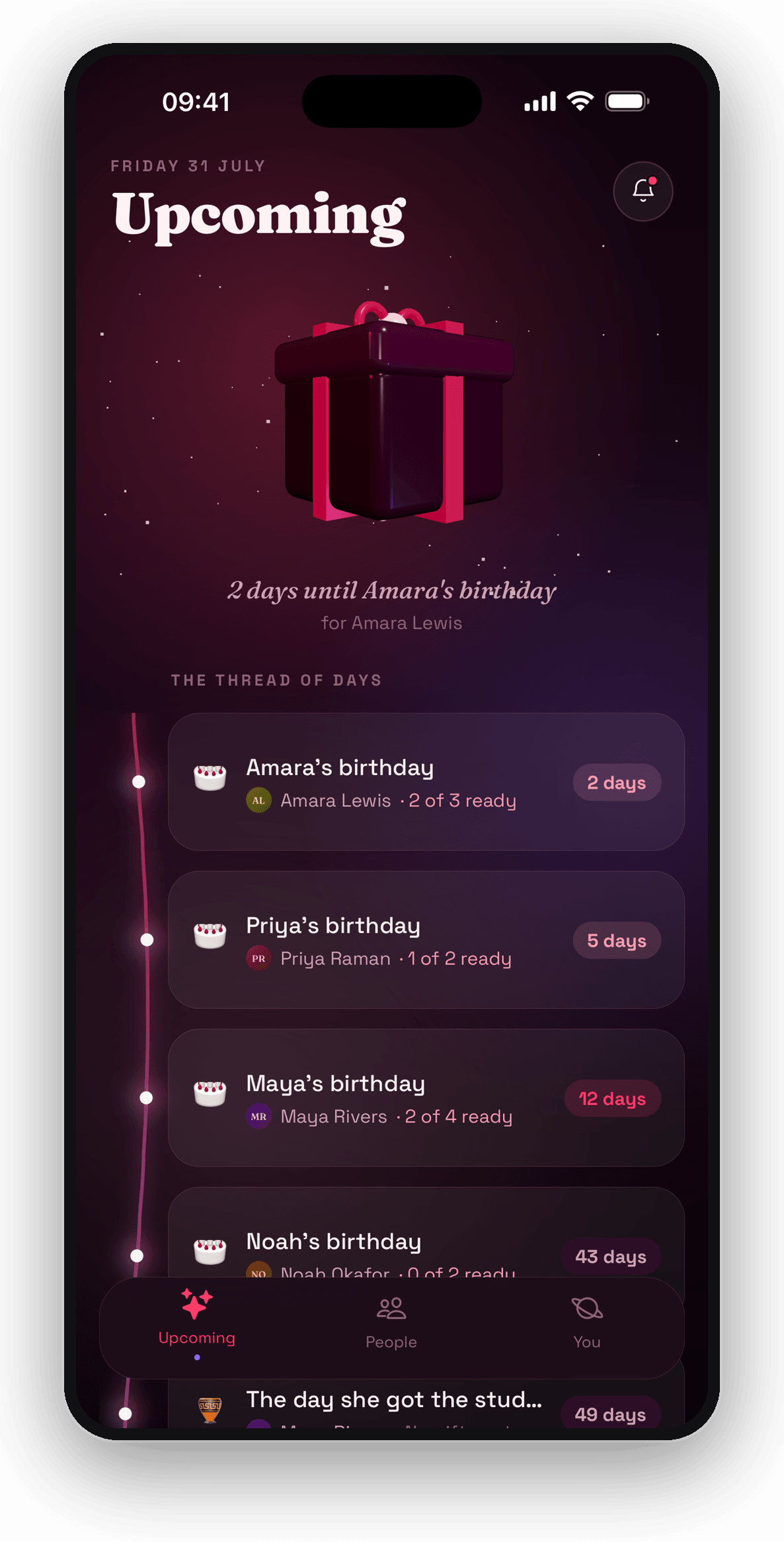
Everything ahead of you, counted in days
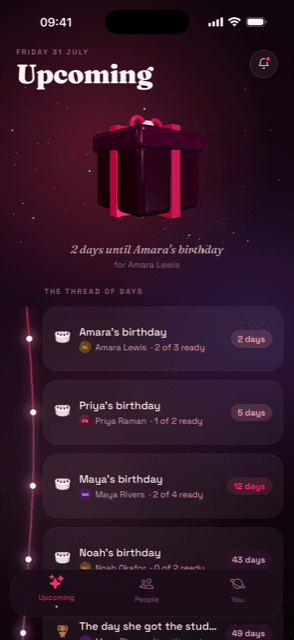
The thread of days runs down the screen in order, each with how far along you are — two of three ideas sorted for Amara, whose birthday is in two days.
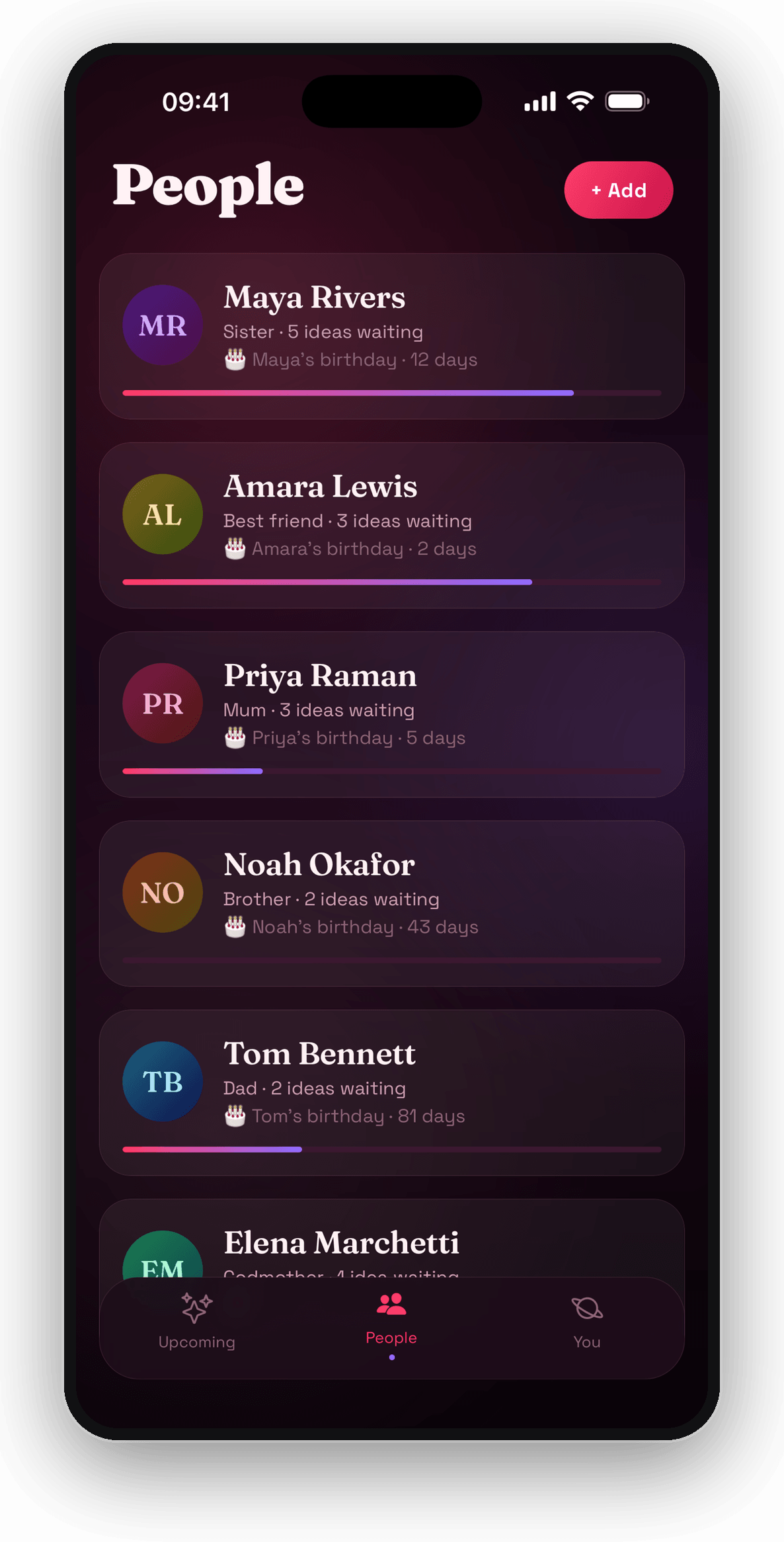
Everyone you buy for, on one list
Who they are to you, how many ideas are waiting against their name, and how long you have got. The bar under each one is how far you have got with them.
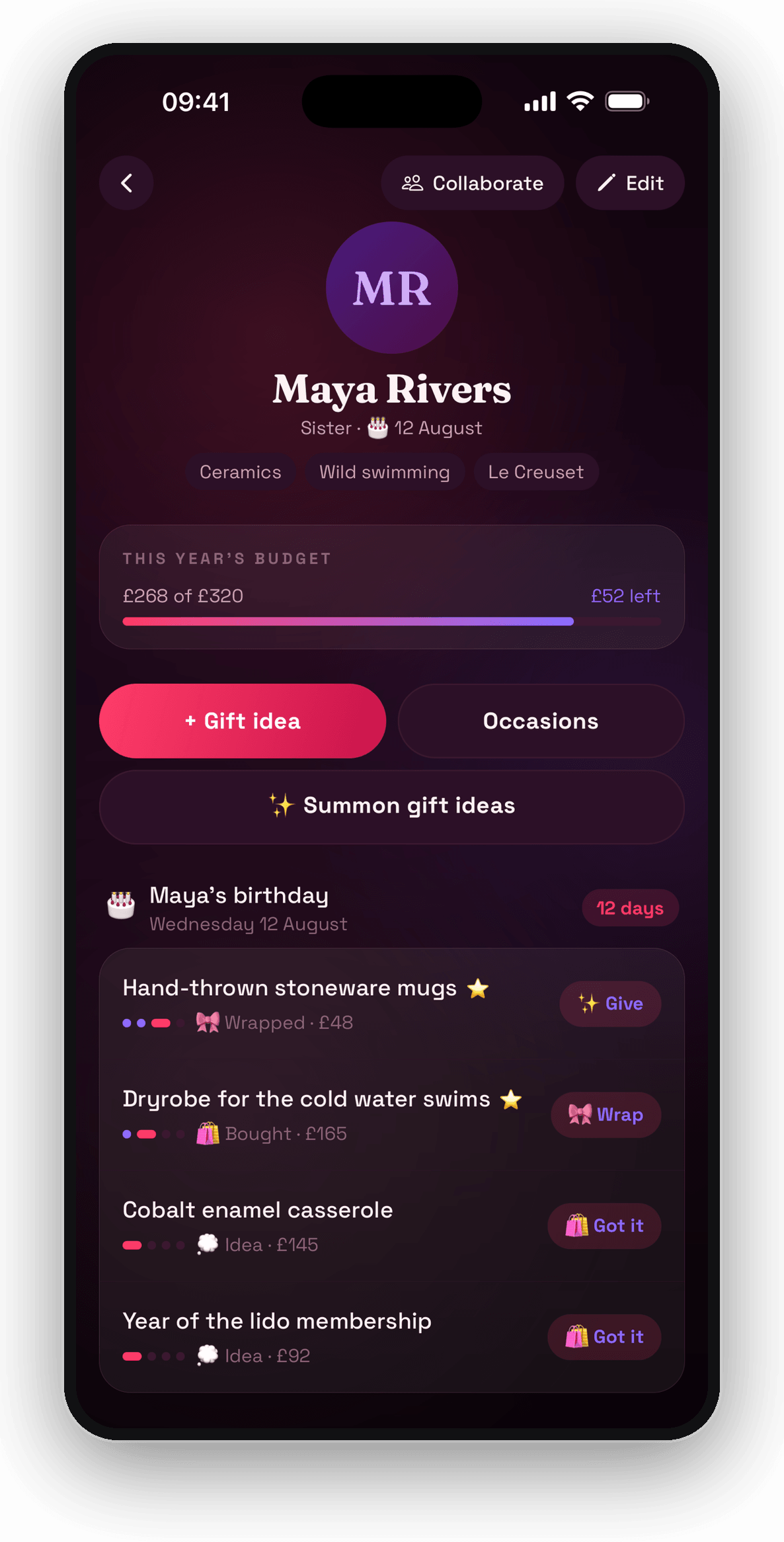
One page per person
What they are into, the budget you set and what is left of it, and every idea with where it has got to — idea, bought, wrapped, given. Hear them mention something in passing and two taps puts it against their name. Out of ideas? Unlock Sparks once and it will suggest some, with a rough price and where to look.
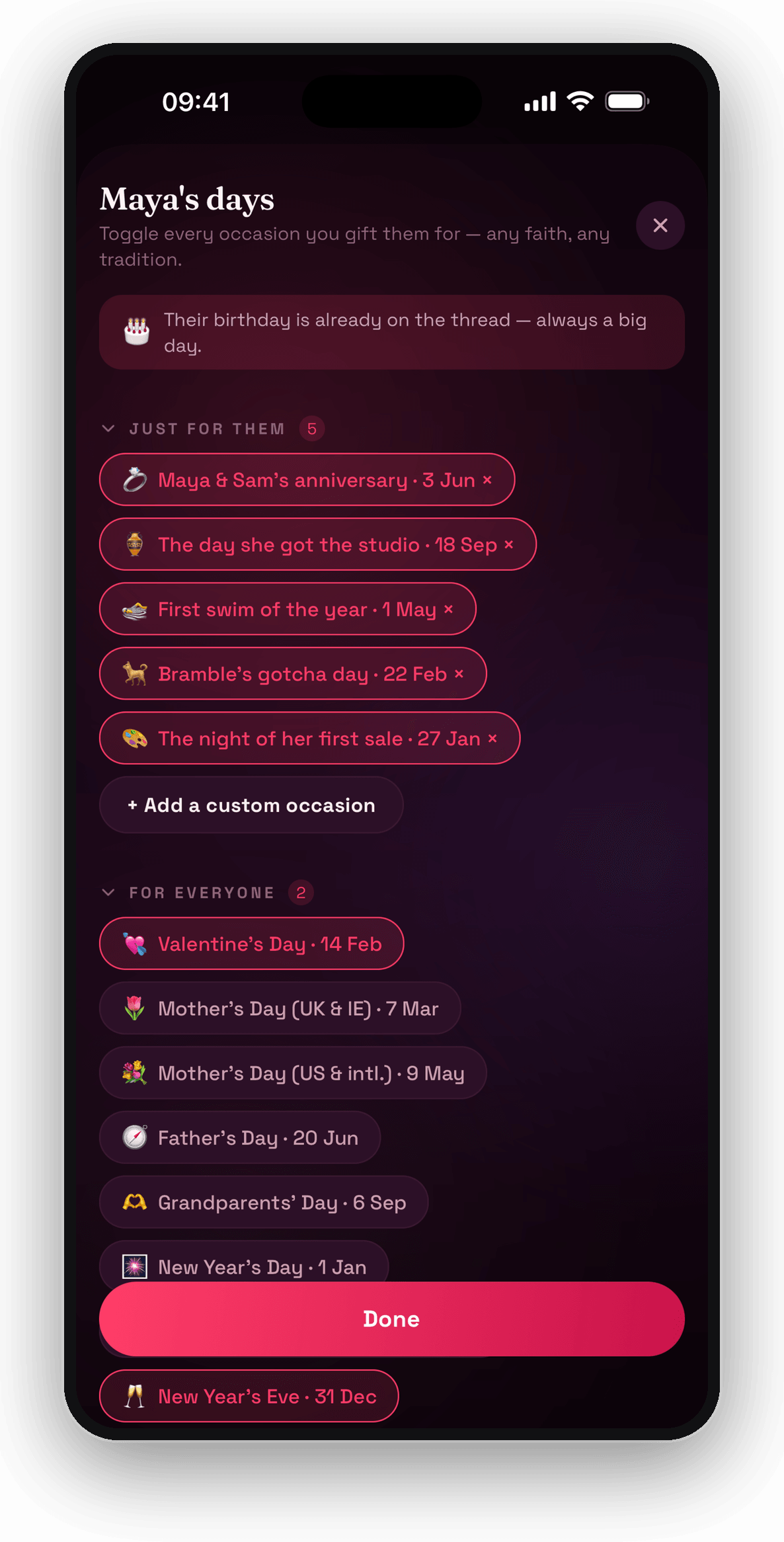
Only the days you actually mark
Keep the occasions you keep and ignore the rest, whatever your faith or family does — then add the private ones nobody else would think of: the day she got the studio, the night of her first sale.
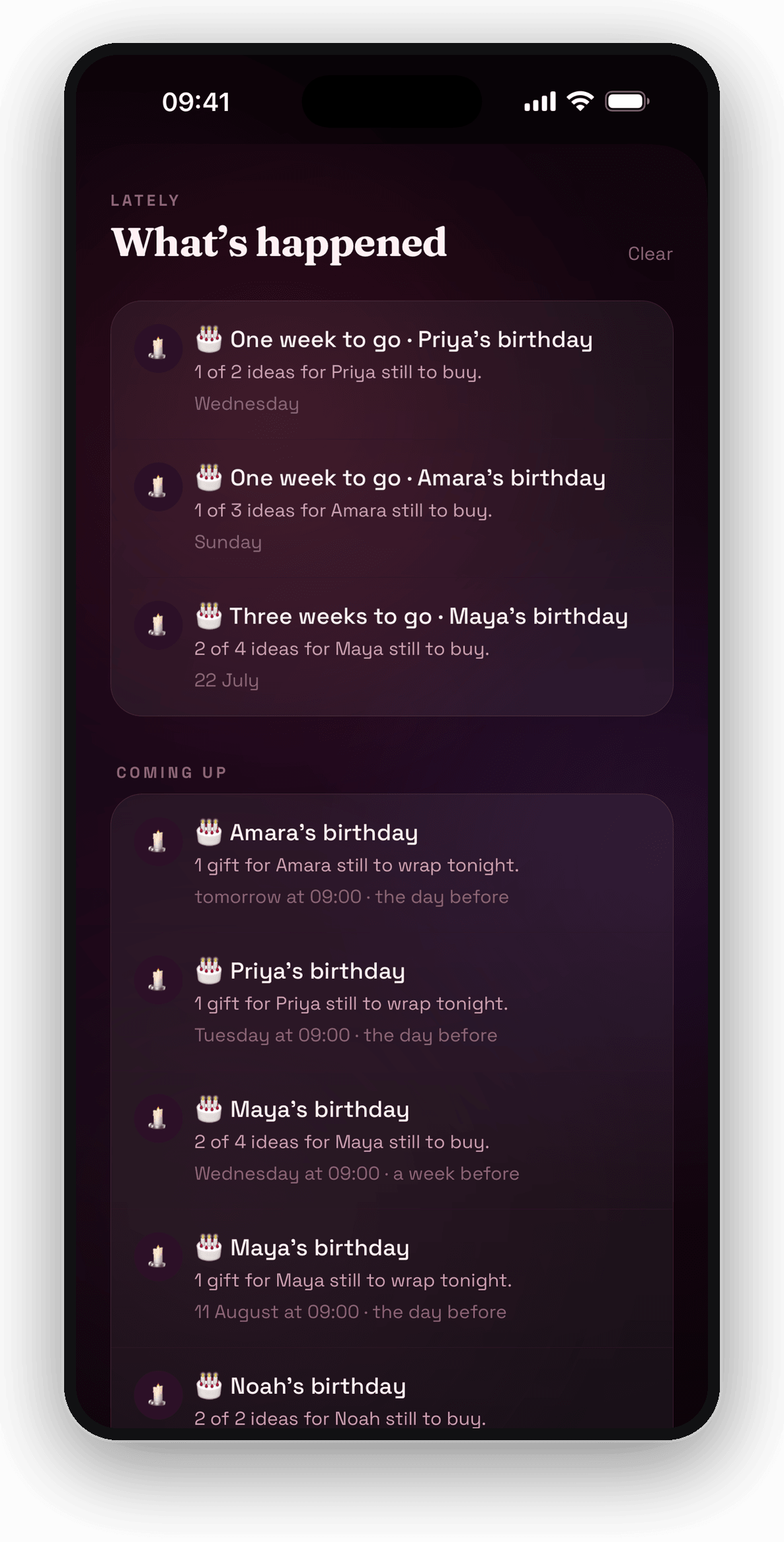
The nudge that arrives in time
A week out, and again the night before, saying what is still to buy or wrap. Not a cheerful notification on the morning itself, when it is already too late to matter.
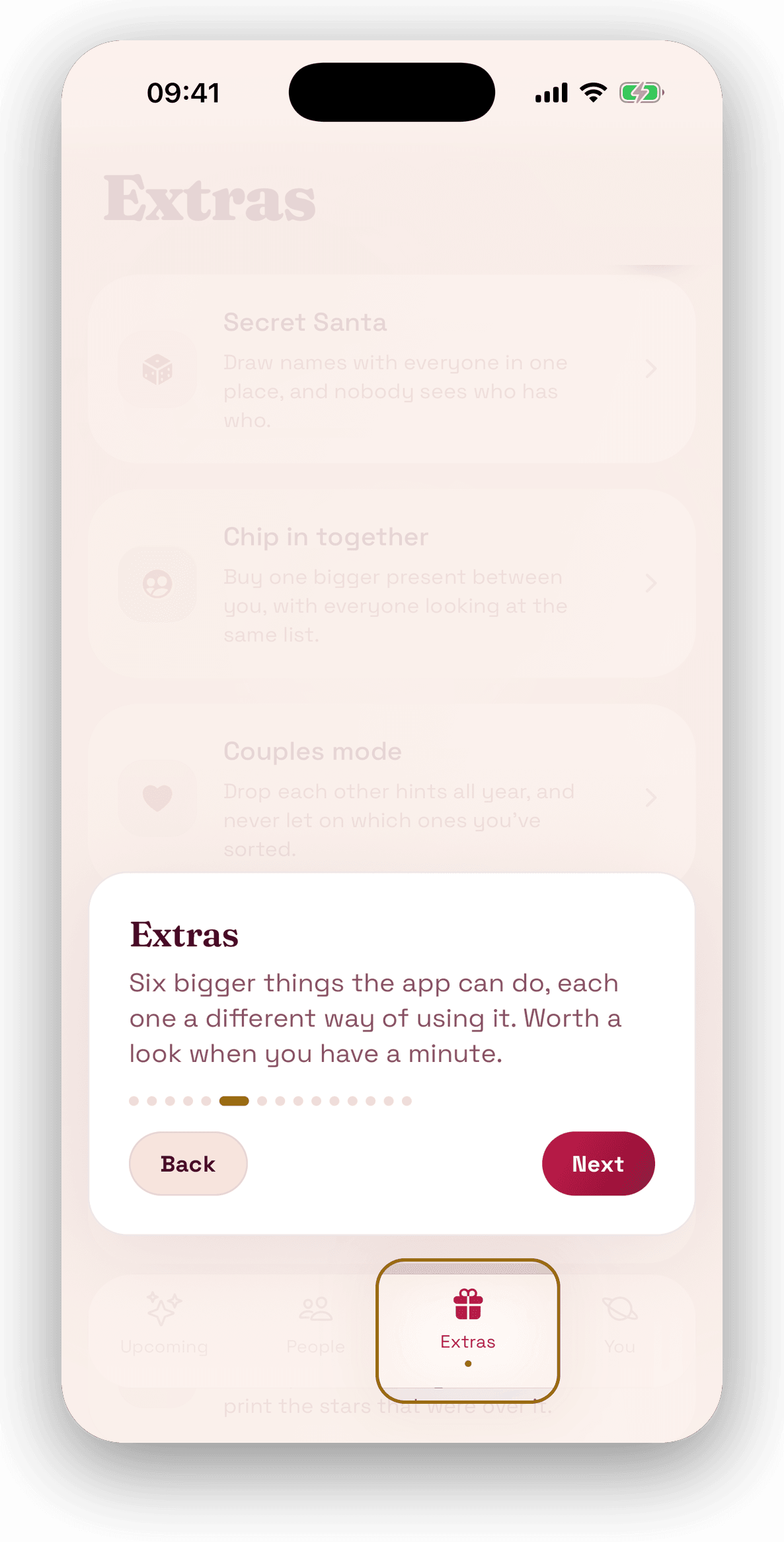
It shows you round before it asks for anything
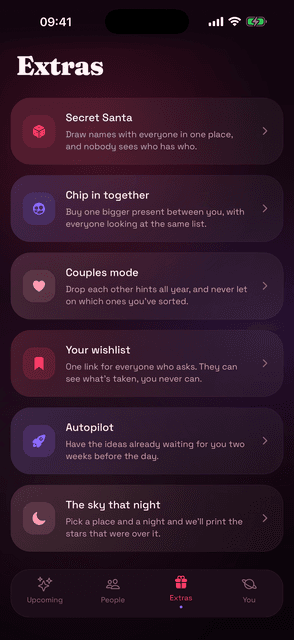
The first time you open it, a fifteen-stop tour walks the tabs one card at a time — here at stop six, pointing at Extras: “six bigger things the app can do, each one a different way of using it.” The app behind it is empty, because that is what a first run looks like. Back and Next, and no way to skip it.
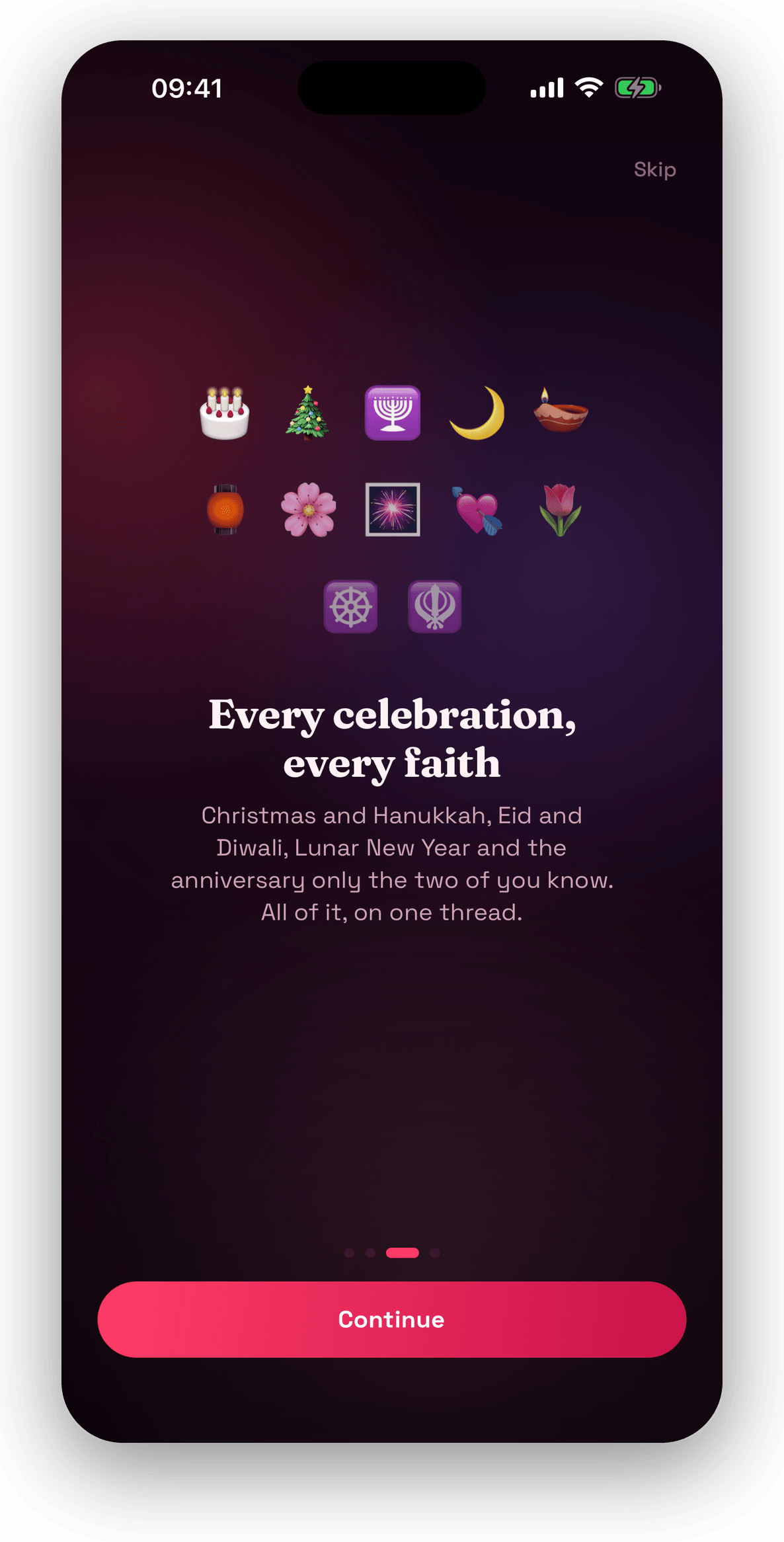
Every celebration, every faith
Christmas and Hanukkah, Diwali, Eid and Lunar New Year, and the anniversary only the two of you know — all of it on one thread. The app doesn't assume which days matter to you; it asks.
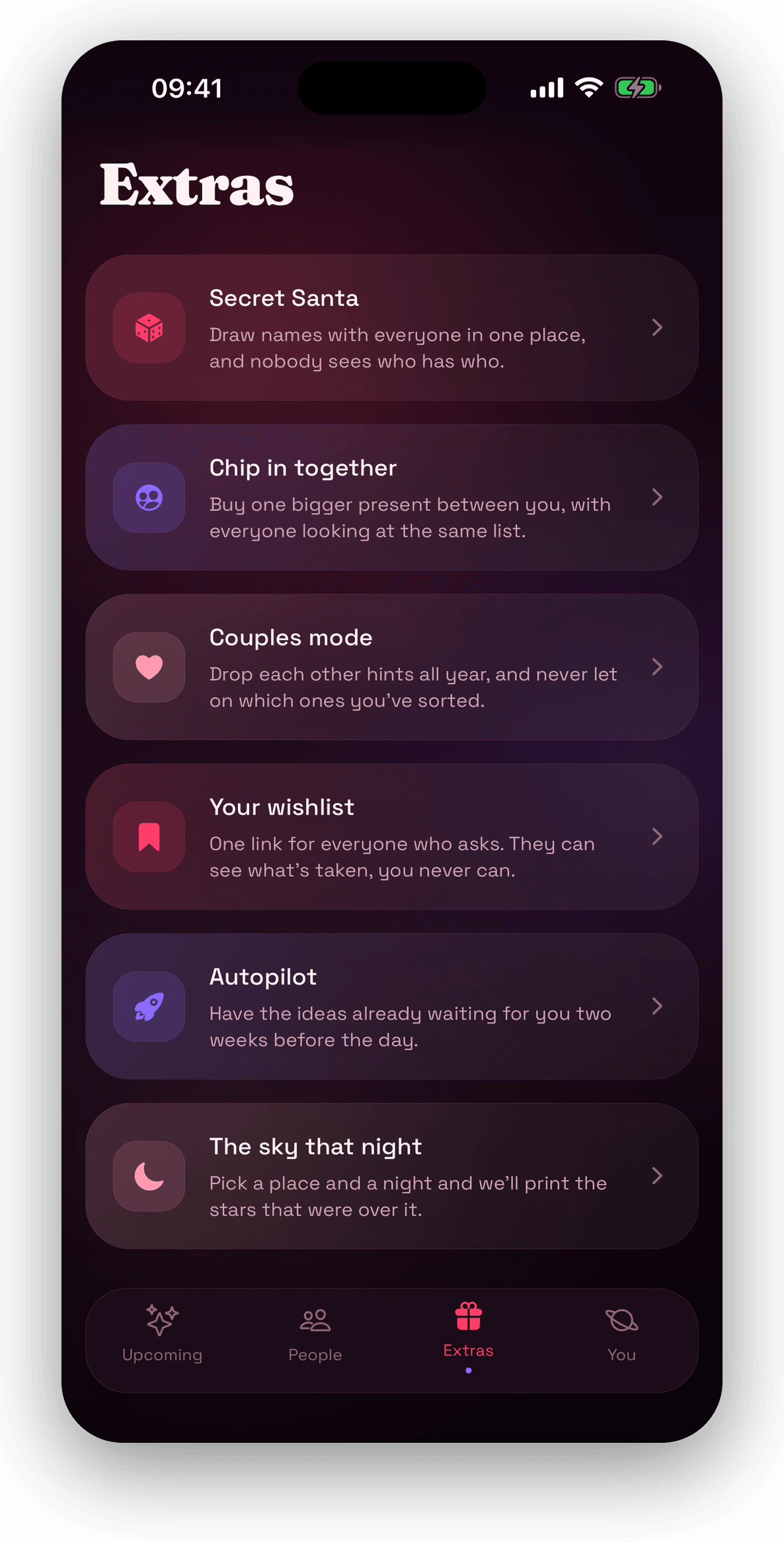
Six extras, each one a separate job
Secret Santa, chipping in together, a couples mode, a wishlist link, Autopilot, and a star map of the sky on a night that mattered. Each is on this one screen, and each is explained in a sentence rather than a sales pitch.
Secret Santa, drawn in one place
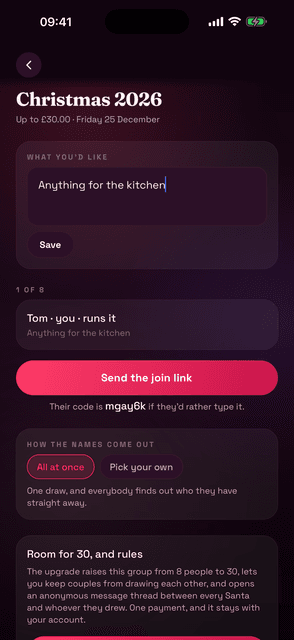
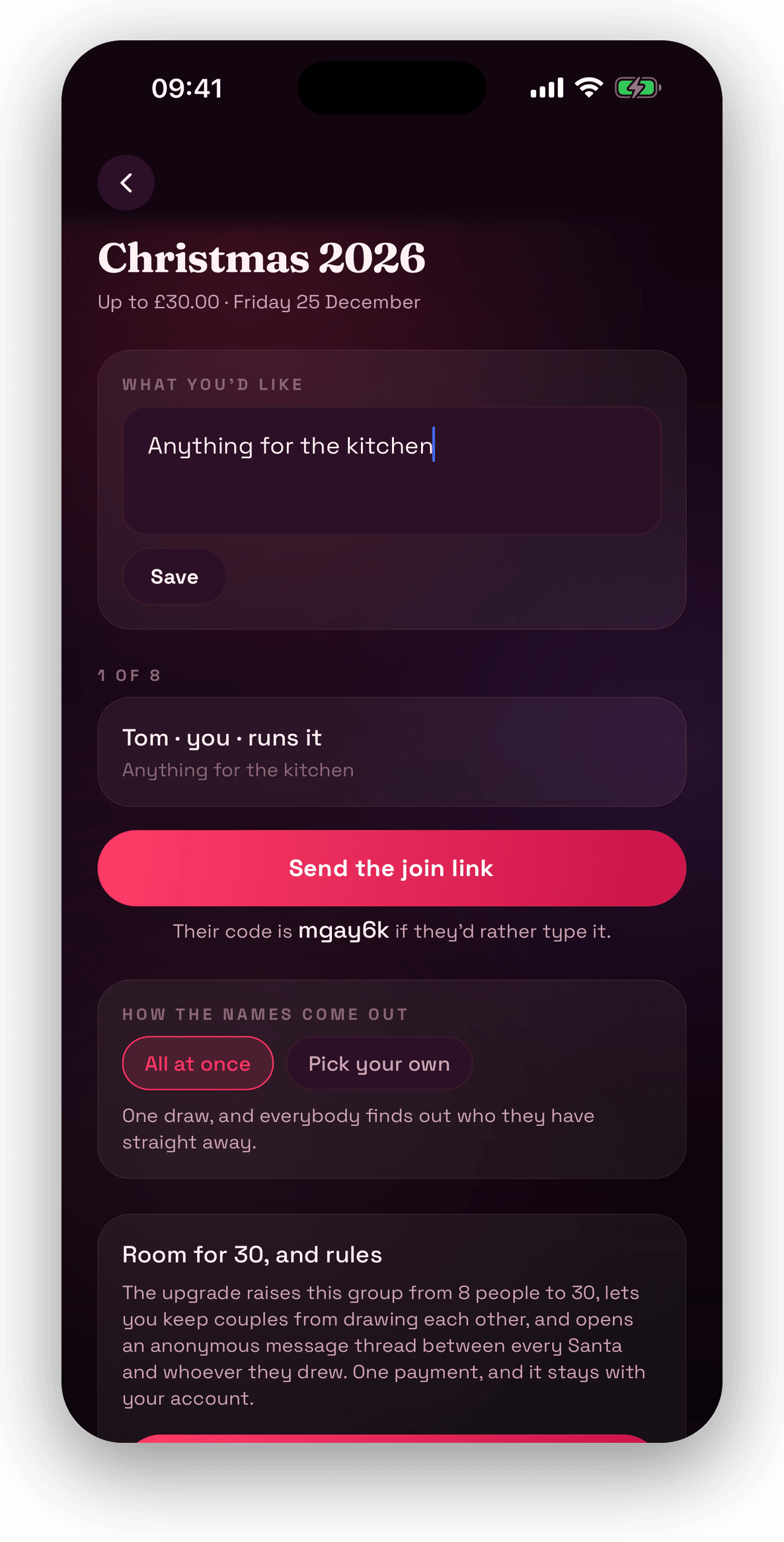
A group called Christmas 2026, up to £30, Friday 25 December. Everyone joins with a code or a link, writes one wish — “Anything for the kitchen” — and the draw happens where nobody can see who has who. Eight people fit for free; a one-off unlock takes the room to thirty.
One bigger present between you
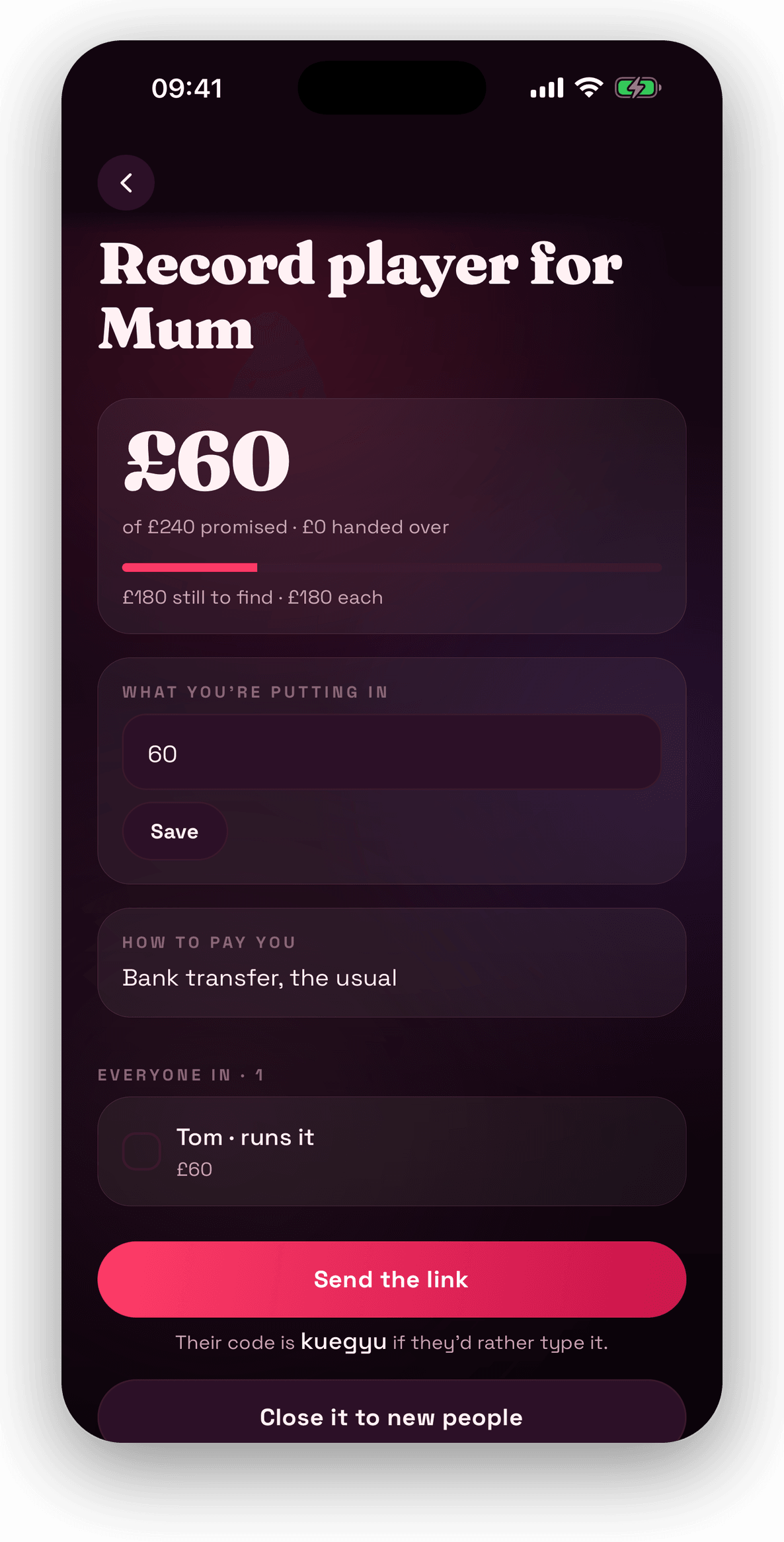
A record player for Mum: £60 of £240 promised, £180 still to find, £180 each. Everyone puts their number against their name and sees the same total, the organiser says how to pay them — “bank transfer, the usual” — and can close it to new people when it's full.
Hints for the two of you
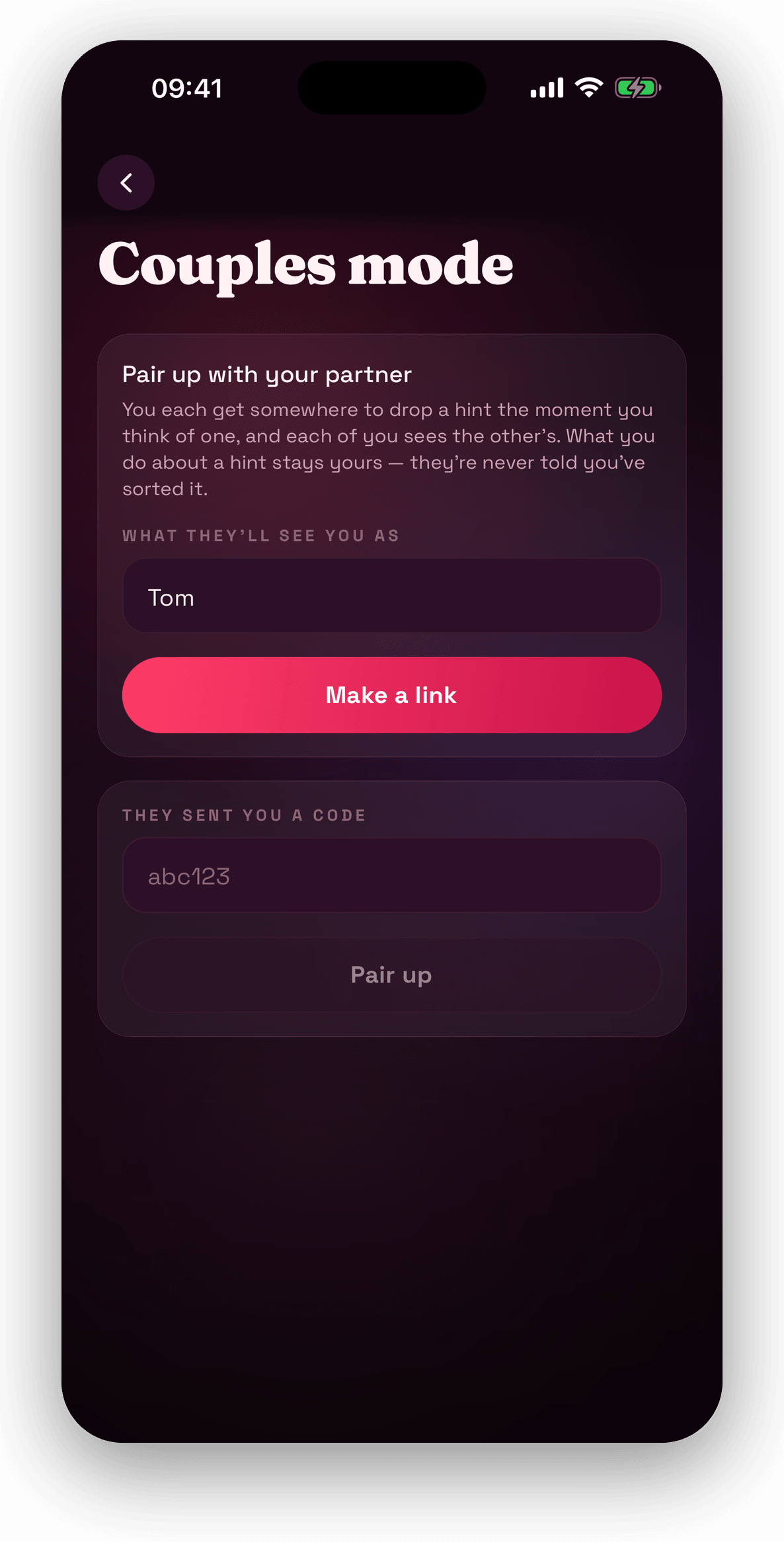
Pair with one person and you each get somewhere to drop a hint the moment you think of one. Each of you sees the other's. What you do about a hint stays yours — they are never told you've sorted it.
One link for everyone who asks
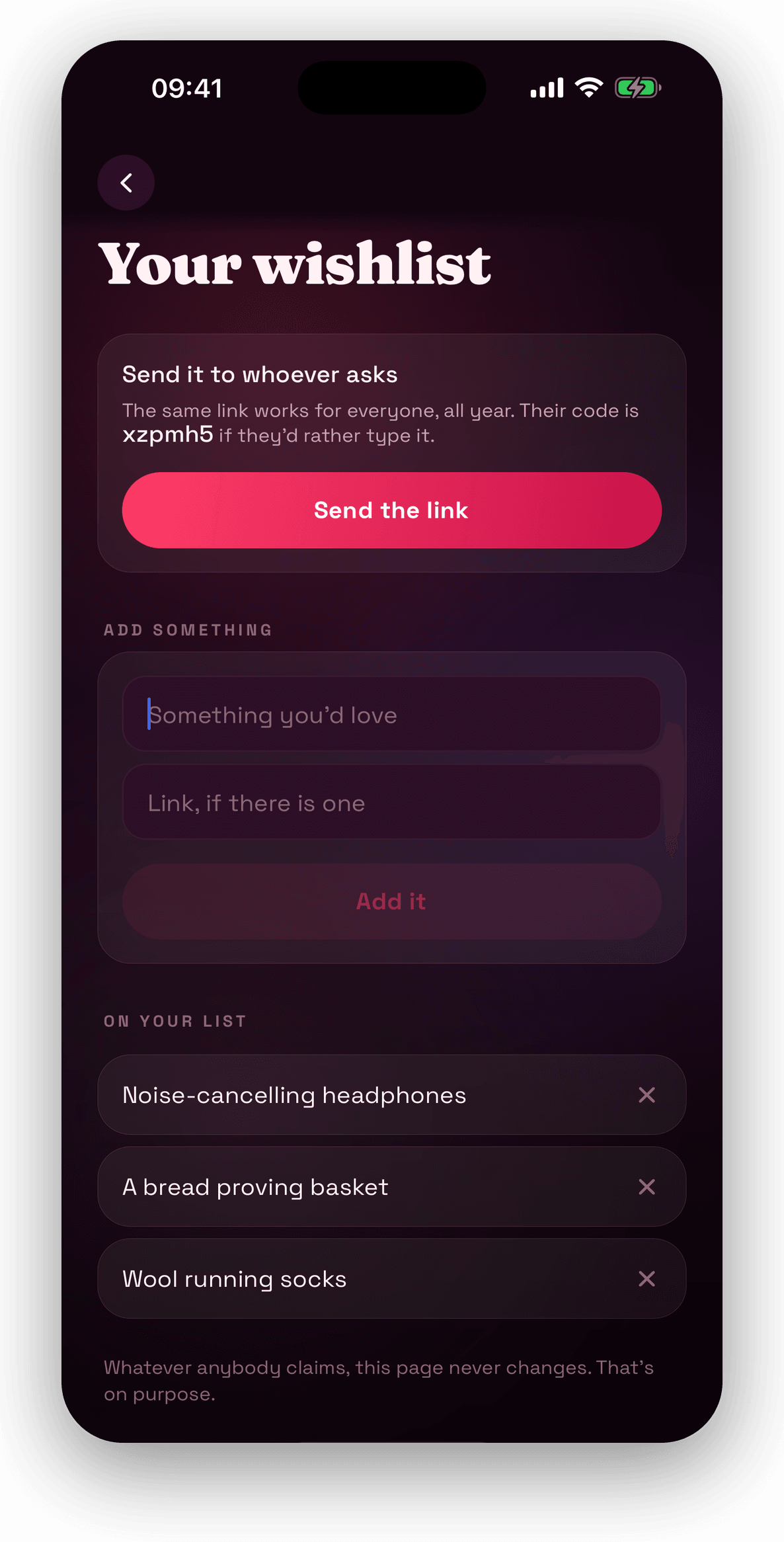
Headphones, a bread proving basket, wool running socks. The same link works for anyone, all year, and they can see what's already taken. You never can — whatever anybody claims, your page never changes. That's on purpose.
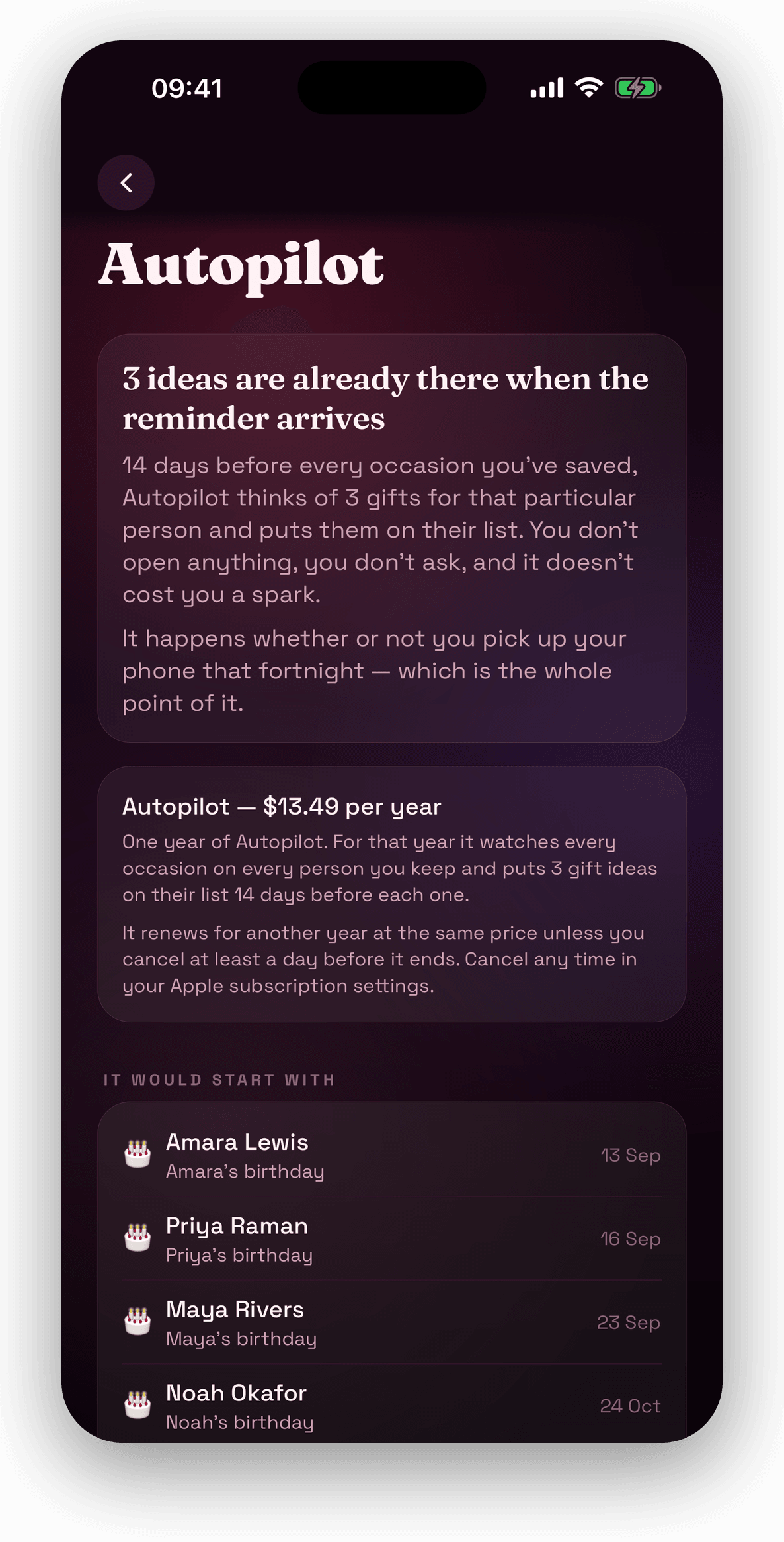
Ideas waiting before you've asked
Fourteen days before every occasion you've saved, Autopilot thinks of three gifts for that particular person and puts them on their list. You don't open anything. It runs whether or not you pick up your phone that fortnight — which is the point of it. It's a yearly subscription, switched off until you turn it on.
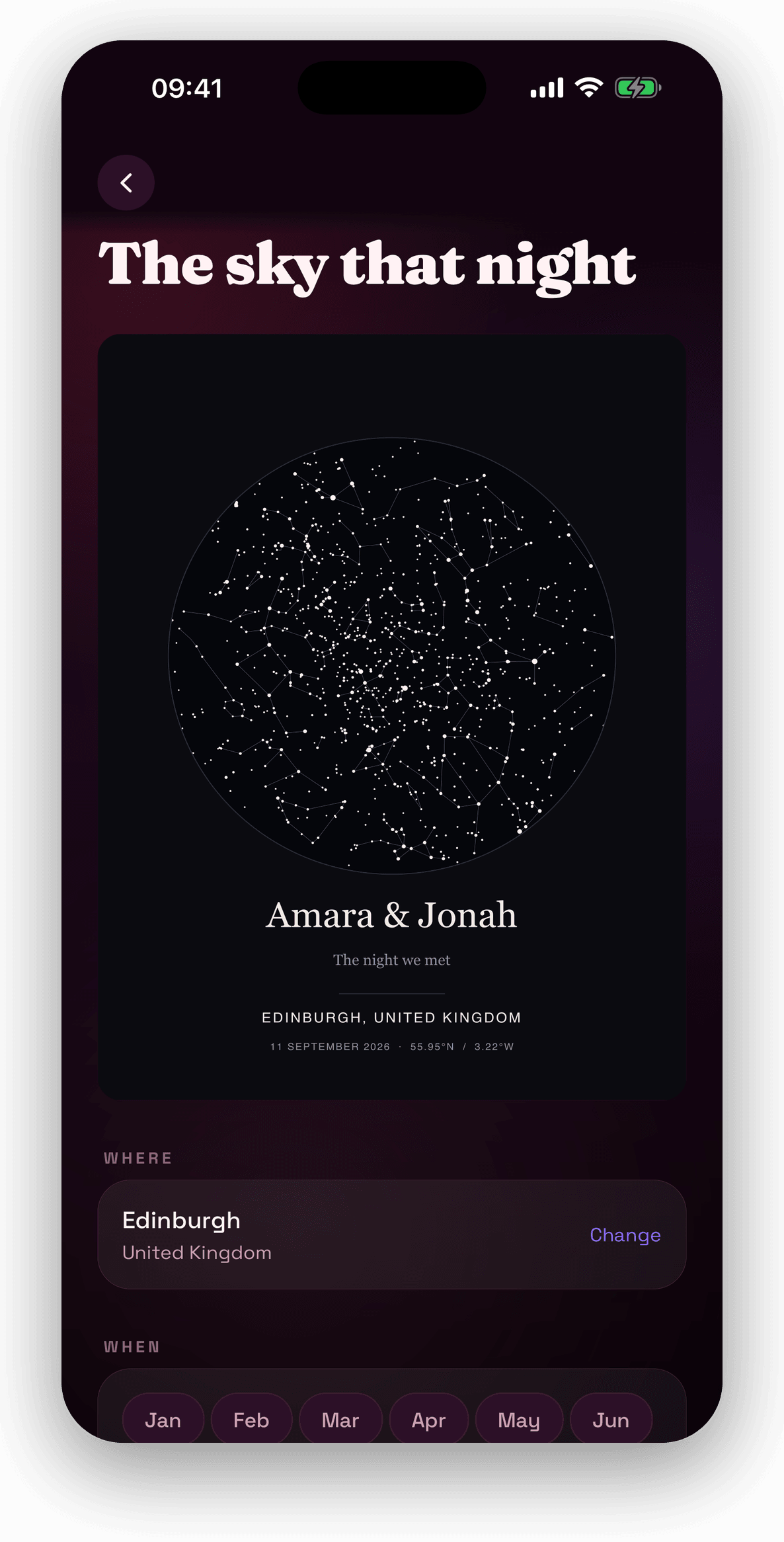
The sky the night you met
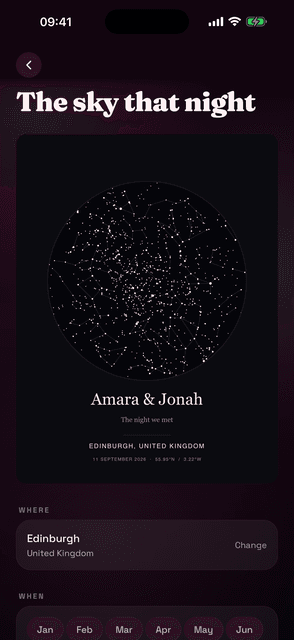
Pick a place and a night and the app draws the stars that were over it — here Edinburgh, 11 September 2026, for Amara & Jonah. A real star field, not a decoration, with the coordinates printed underneath.
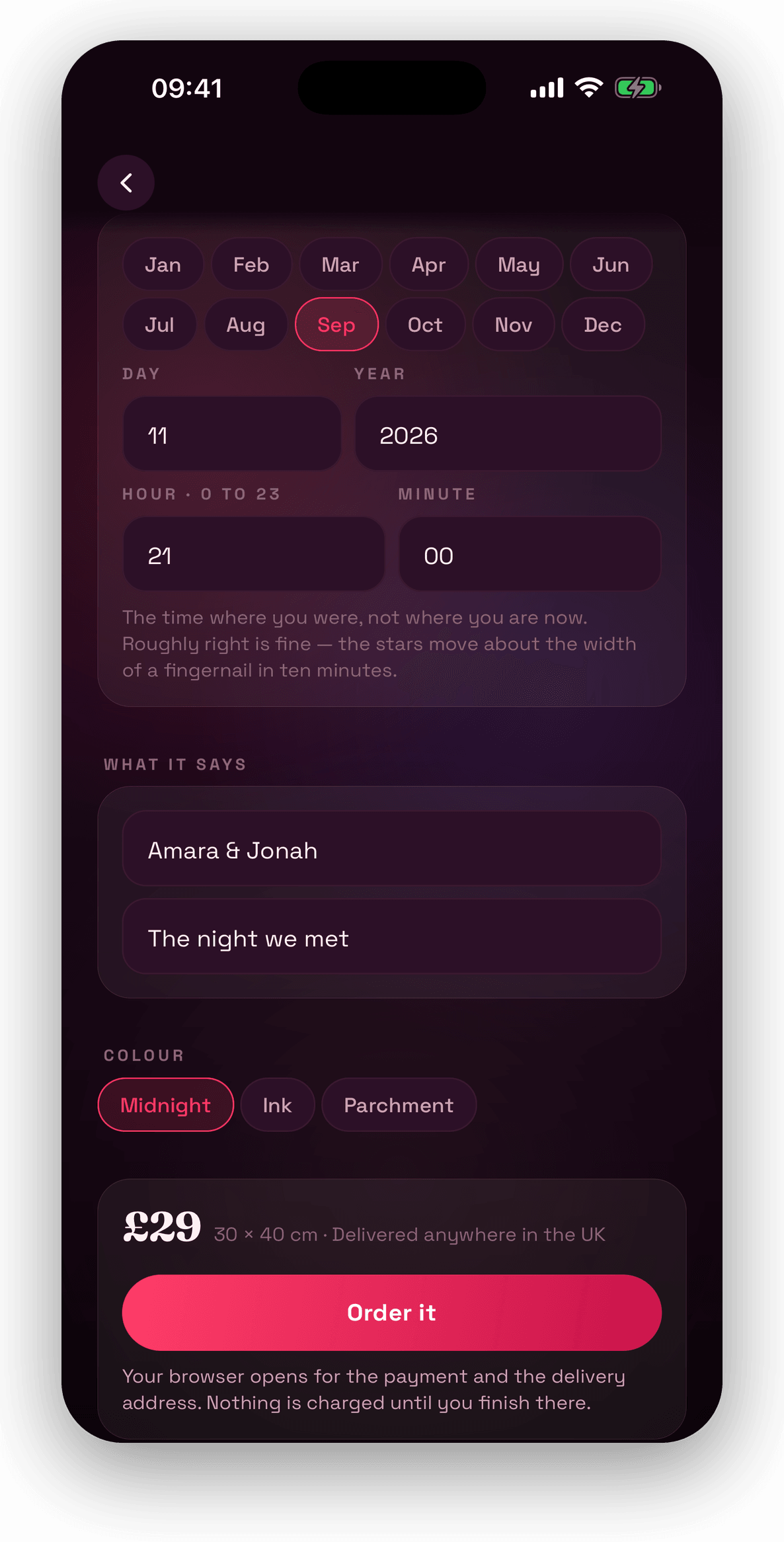
Printed and posted, £29
Date, time, two lines of your own, and three finishes — Midnight, Ink, Parchment. 30 by 40 centimetres, delivered anywhere in the UK. Your browser opens for the payment and the address, and nothing is charged until you finish there.
Buying together
When more than one of you is buying for the same person
Everything above works on one phone with nobody else involved. This is what changes when you invite somebody: they are looking at the same list you are, and the moment one of you claims something, the other one knows.
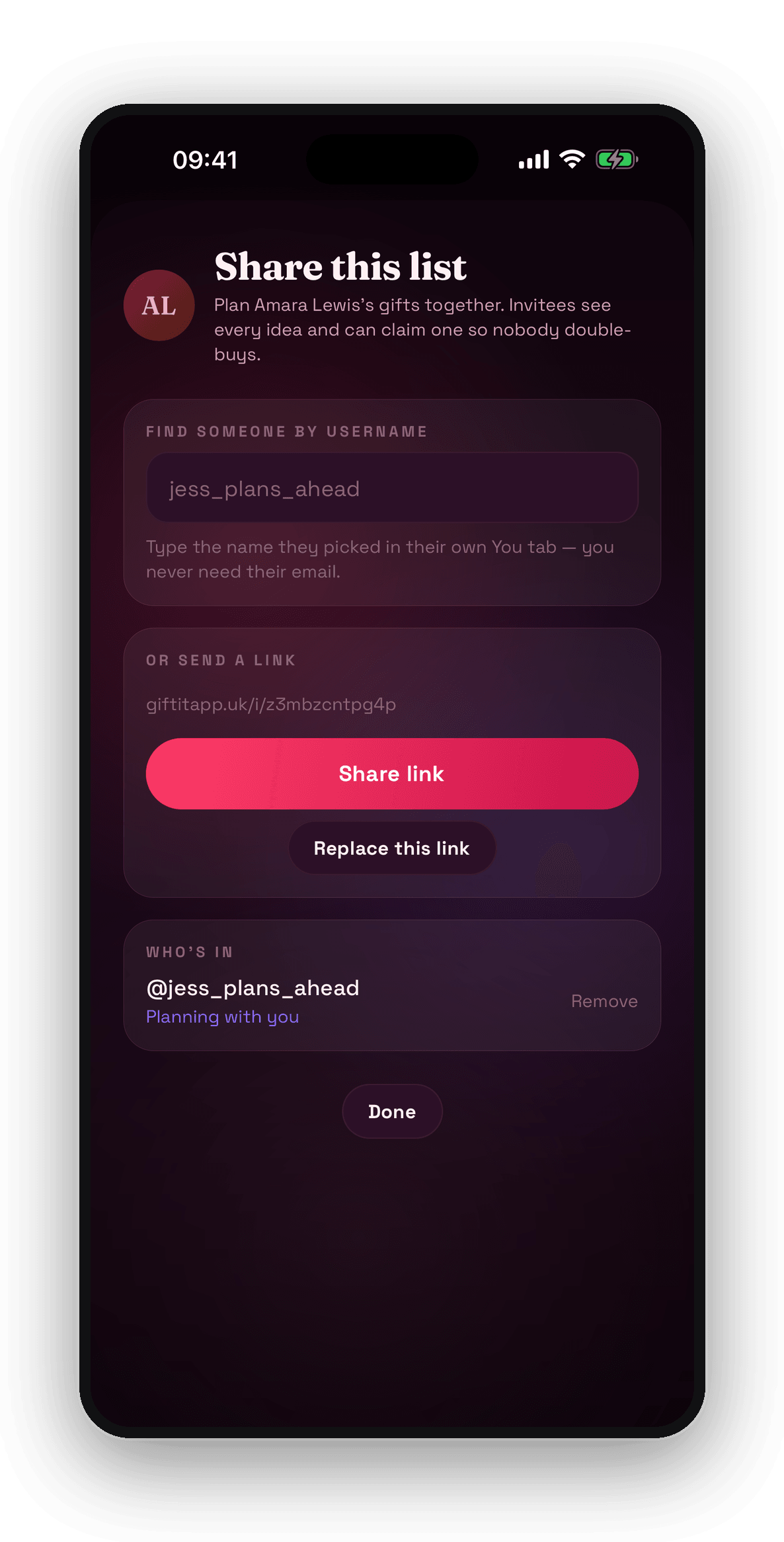
You share one person, not your whole app
Open whoever you are both buying for and send it to a username — the name they picked in their own You tab, so you never need their email. Who's in sits at the bottom of the same screen: everyone on this one list, and a Remove against each of them. Everyone else you have saved stays where it was.
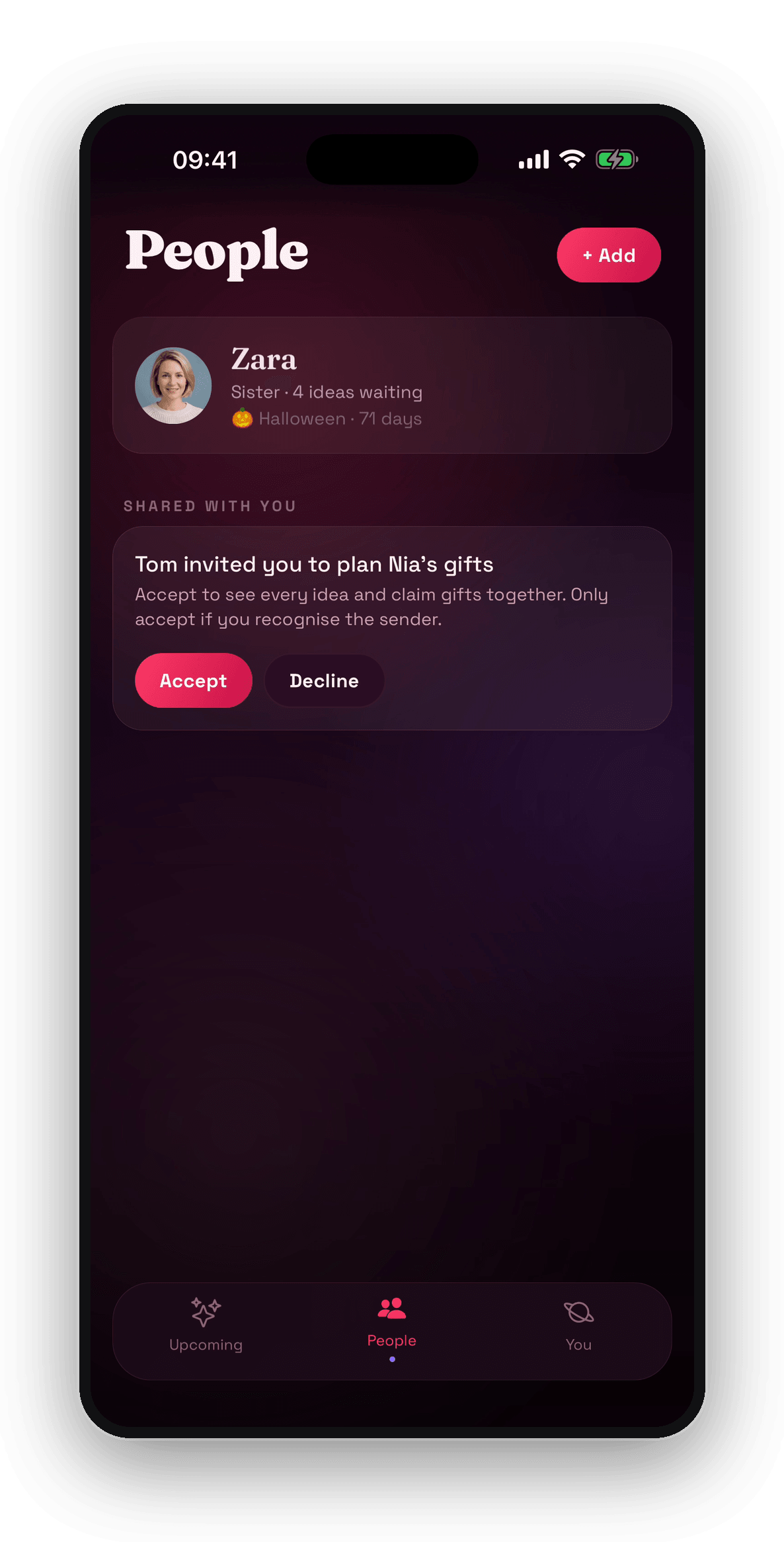
It arrives on their phone as a question
Nia turns up under Shared with you, sitting above their own people, with Accept and Decline underneath. Until they accept there is nothing to see — not the ideas, not the budget, not what anybody has spent.
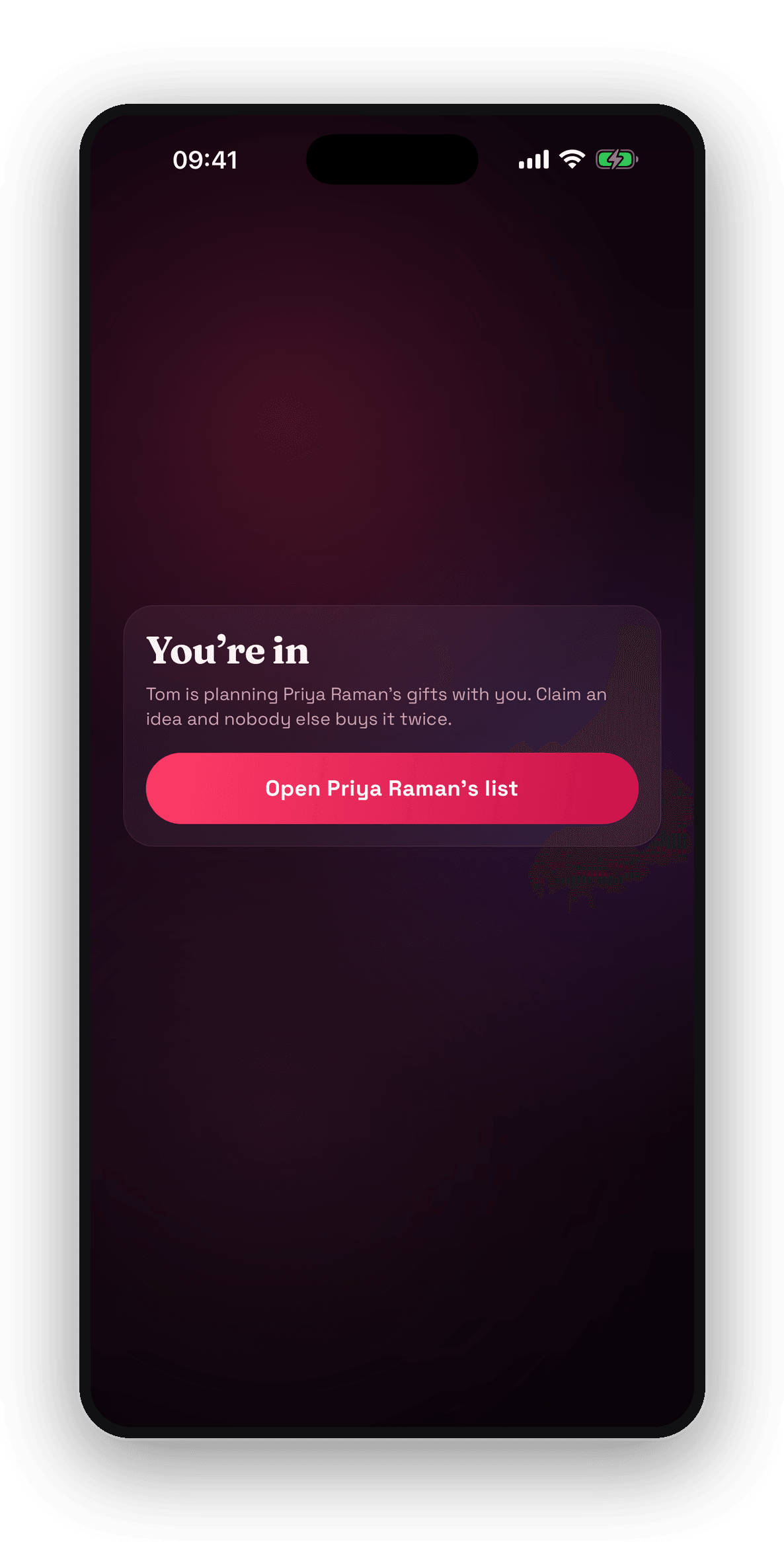
Or you send a link and they land straight on it
The link is the other way in, for someone who would rather tap than be searched for. It opens on You're in, saying who invited them and whose list it is, with one button through to it. Send a fresh one whenever you like — Replace this link kills the old one.
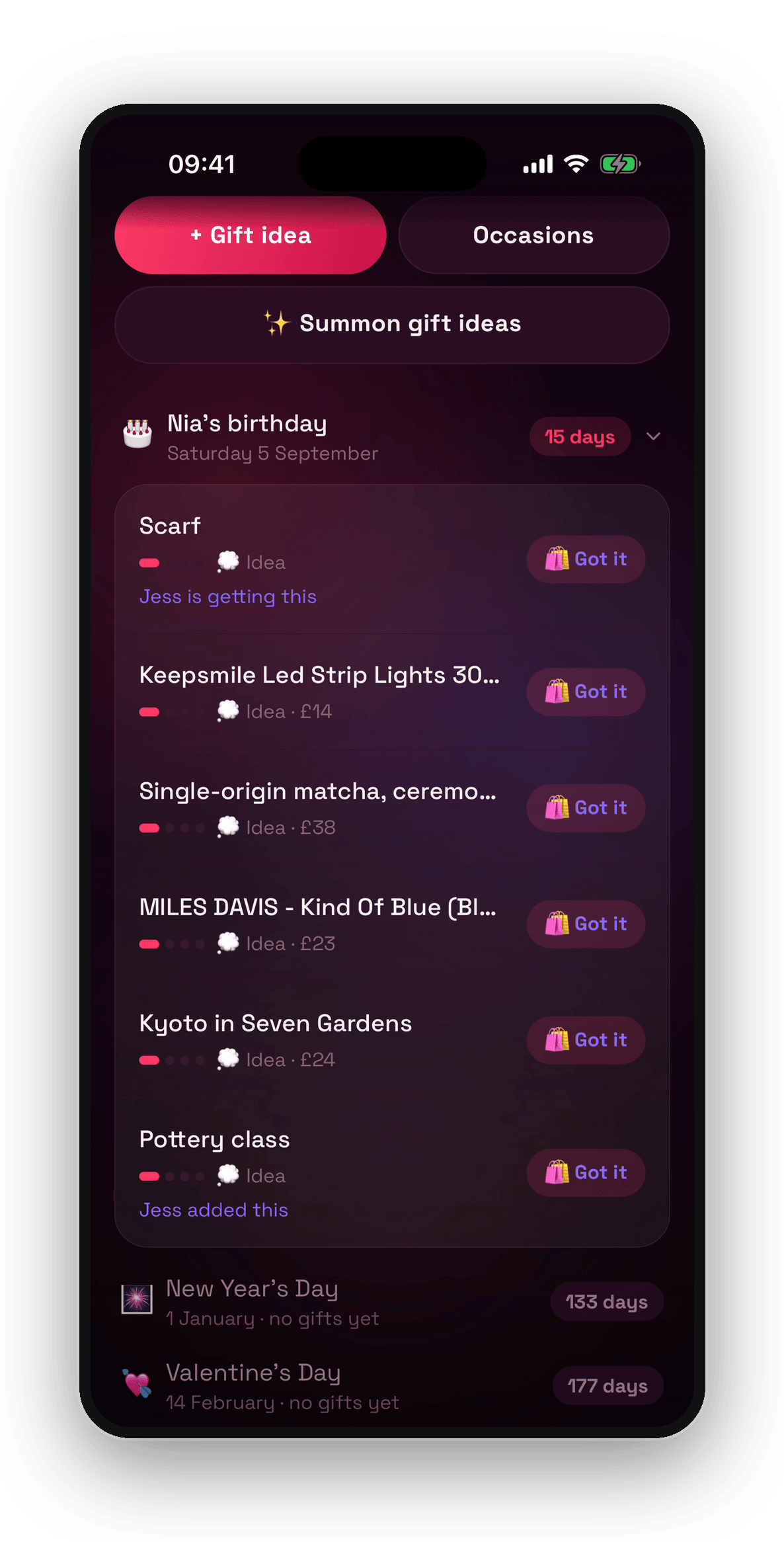
Claim one and the other phone says so
Every idea on a shared list has an I'll get this against it. Jess taps it on the scarf, and on Tom's phone the scarf now reads Jess is getting this. What she adds herself shows up the same way — pottery class, Jess added this — so it stays one list rather than two people quietly buying the same thing.
The fine print
Short, honest, readable.
Gift It keeps what you save on your device, and a few things have to leave it for the app to do its job. Every one of them is named below in plain English, at stable addresses you can rely on.