
Binit
What it is
Binit reads your Outlook or Hotmail mailbox on your phone, groups it by who is actually sending, and gets you off their lists — then checks a week later whether each one obeyed, and blocks the ones that lied.
How it works
What using Binit is actually like.
- Why it exists
- Your address is on lists you never joined — a shop you used once, a company you have never heard of, a form you filled in years ago. The unsubscribe link at the bottom goes to a dead page, or to a form that quietly does nothing, and the mail keeps coming. Binit was built because there was no way to find out how bad it had got, let alone stop it.
- Who it’s for
- Anyone whose Outlook or Hotmail inbox has stopped being useful — where the mail that matters is buried under a hundred senders a week, and deleting them one at a time has never once made a dent.
- What you get
- You find out exactly who is writing to you and how much of it there is, then leave in one step instead of a hundred. Your mail never leaves your phone — there is no Binit server and no account to make, and a scan asks only who sent something, what it is called and when, never the message itself. It speaks 34 languages, including the notifications it writes while you are not looking.
What your mailbox turns out to hold
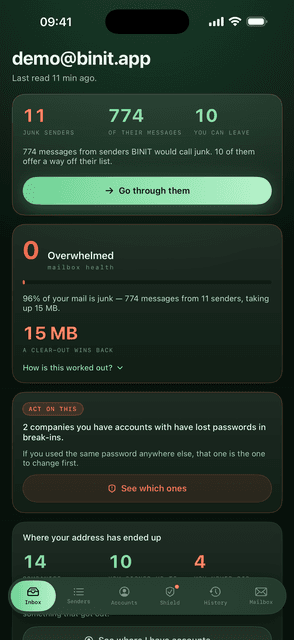
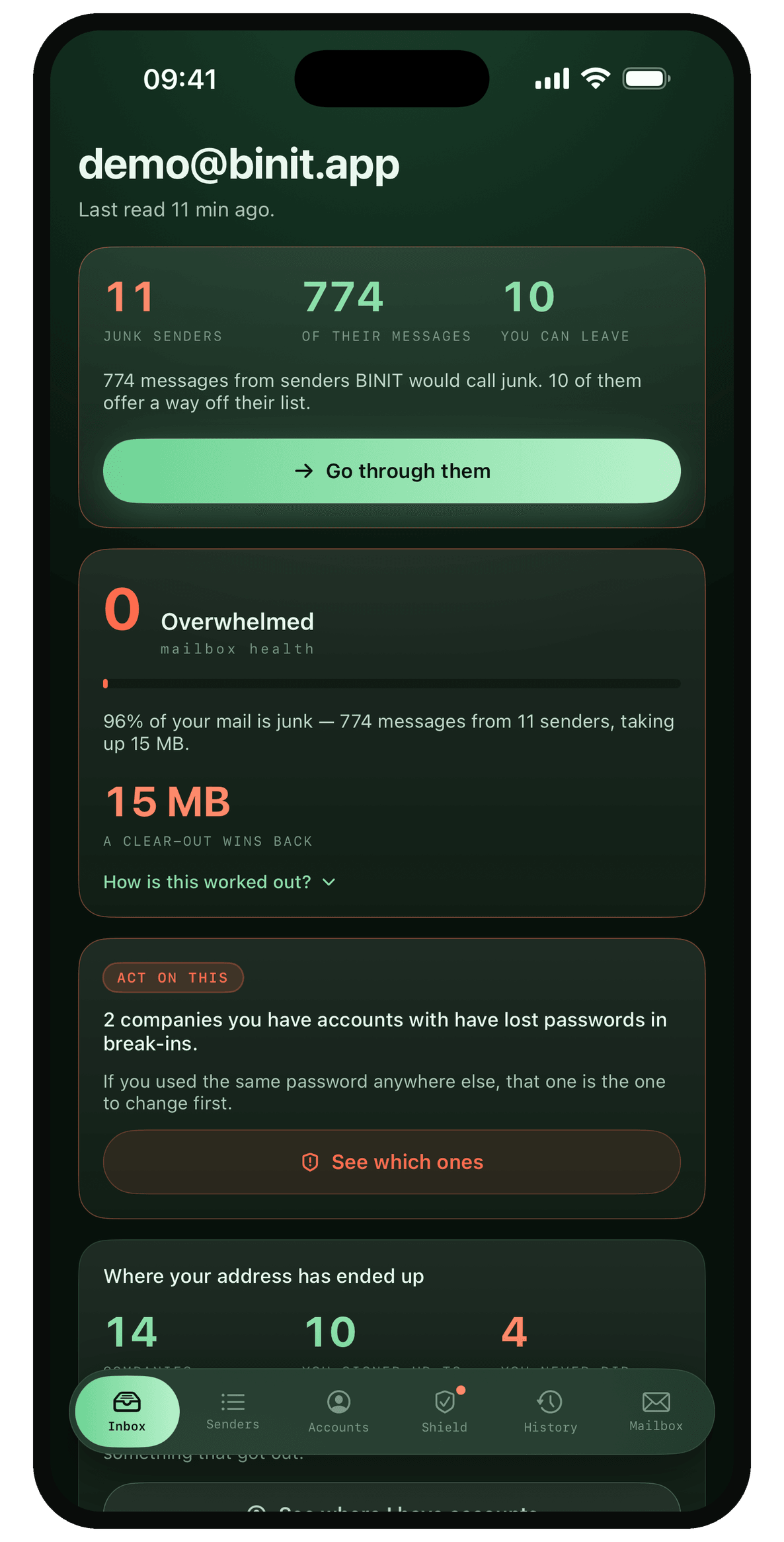
One read and you have the number: eleven senders it would call junk, 774 messages between them, and ten you can leave in a single step. It scores the mailbox out of a hundred and this one gets zero — 96% of what is in it is junk, and clearing it wins back 15 MB.
Sorted by who is writing, not by message
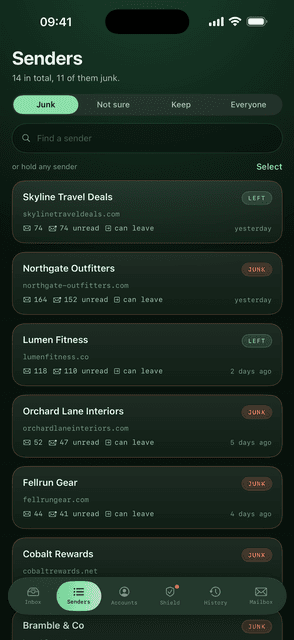
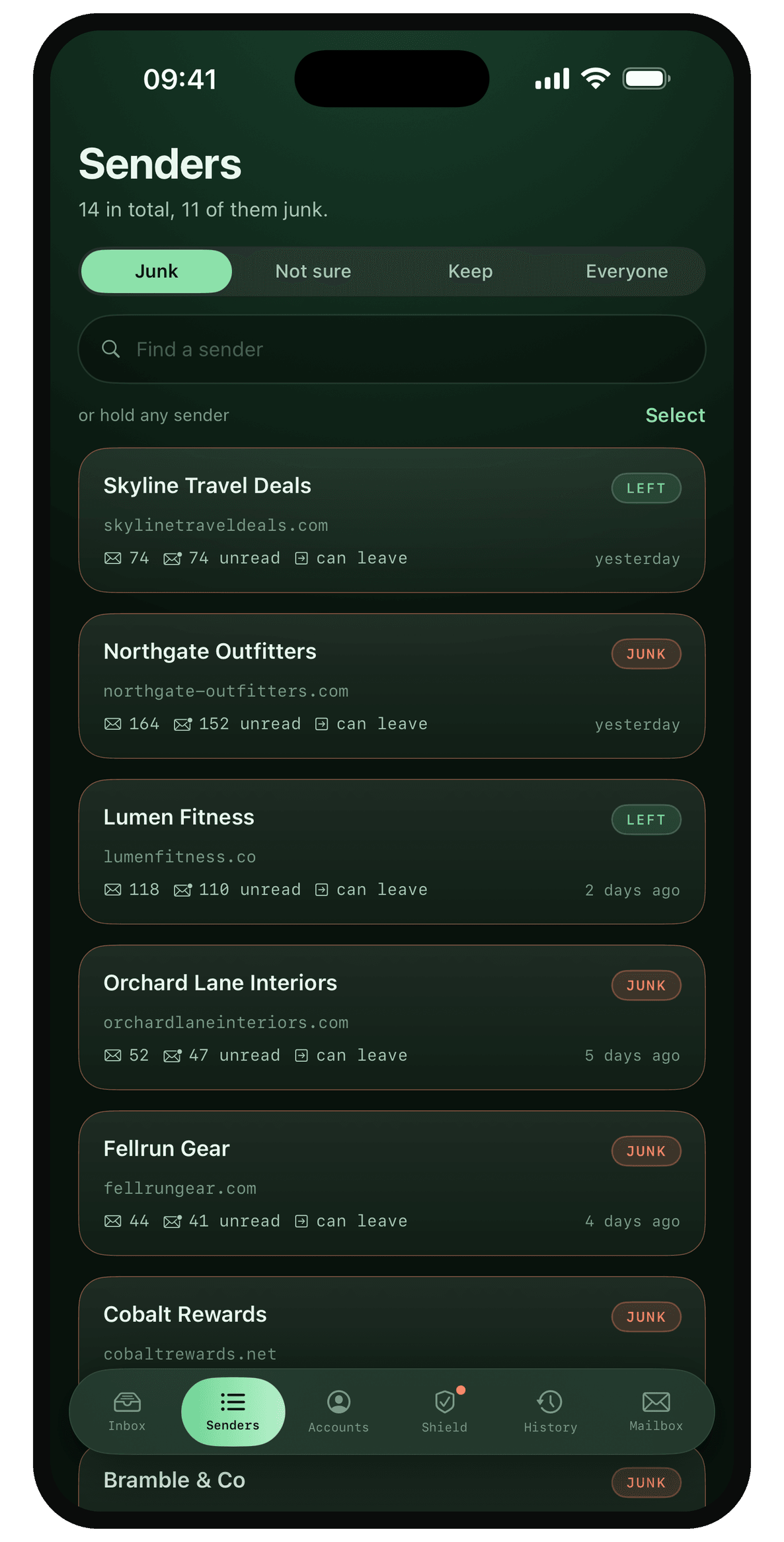
Fourteen senders, eleven of them junk, ranked by how much of the mailbox they are taking. Northgate Outfitters alone has sent 164 and you never opened 152 of them. Two already read LEFT, because Binit got you off those lists. Clearing a sender moves their mail to your Deleted folder, so nothing is destroyed and everything can be put back.
It never asks you to take its word for it
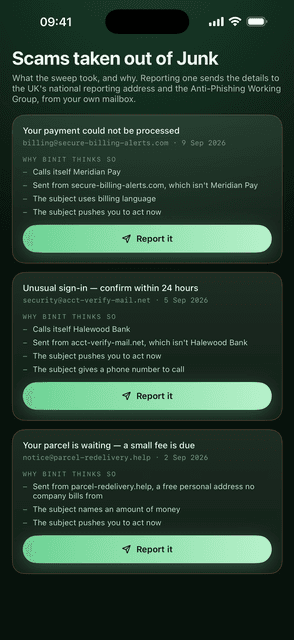
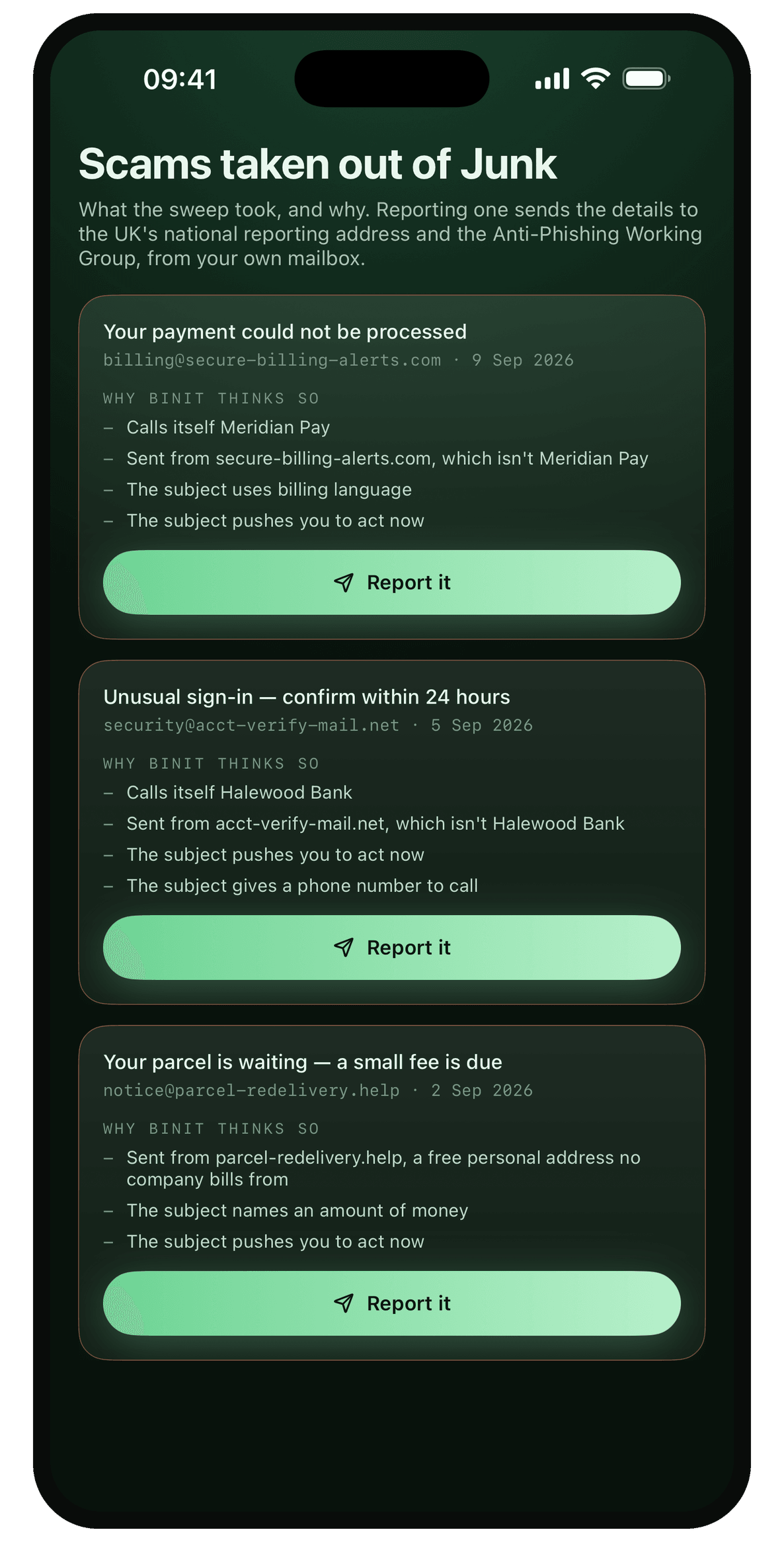
Every scam it pulls out of Junk is printed with its reasons underneath. This one calls itself Meridian Pay but came from secure-billing-alerts.com, talks about billing, and pushes you to act now. Reporting it sends the details to the UK's national reporting address from your own mailbox — not from a Binit server, because there isn't one.
Where your address ended up
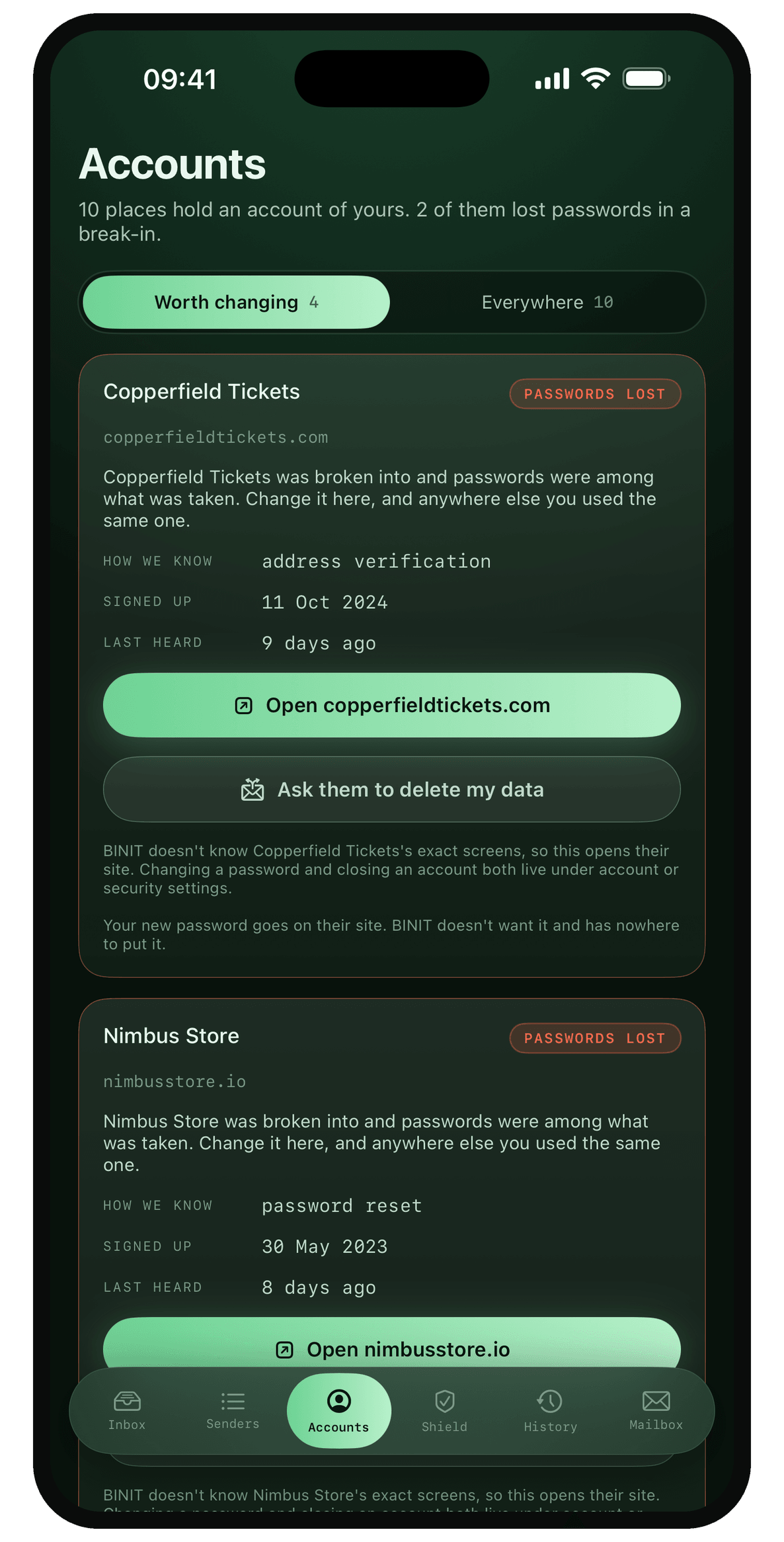
Ten companies hold an account tied to this address, and it says how it knows each one — Copperfield Tickets by an address verification you were sent on 11 October 2024. Four are worth doing something about, and any of them can be asked to delete what they hold.
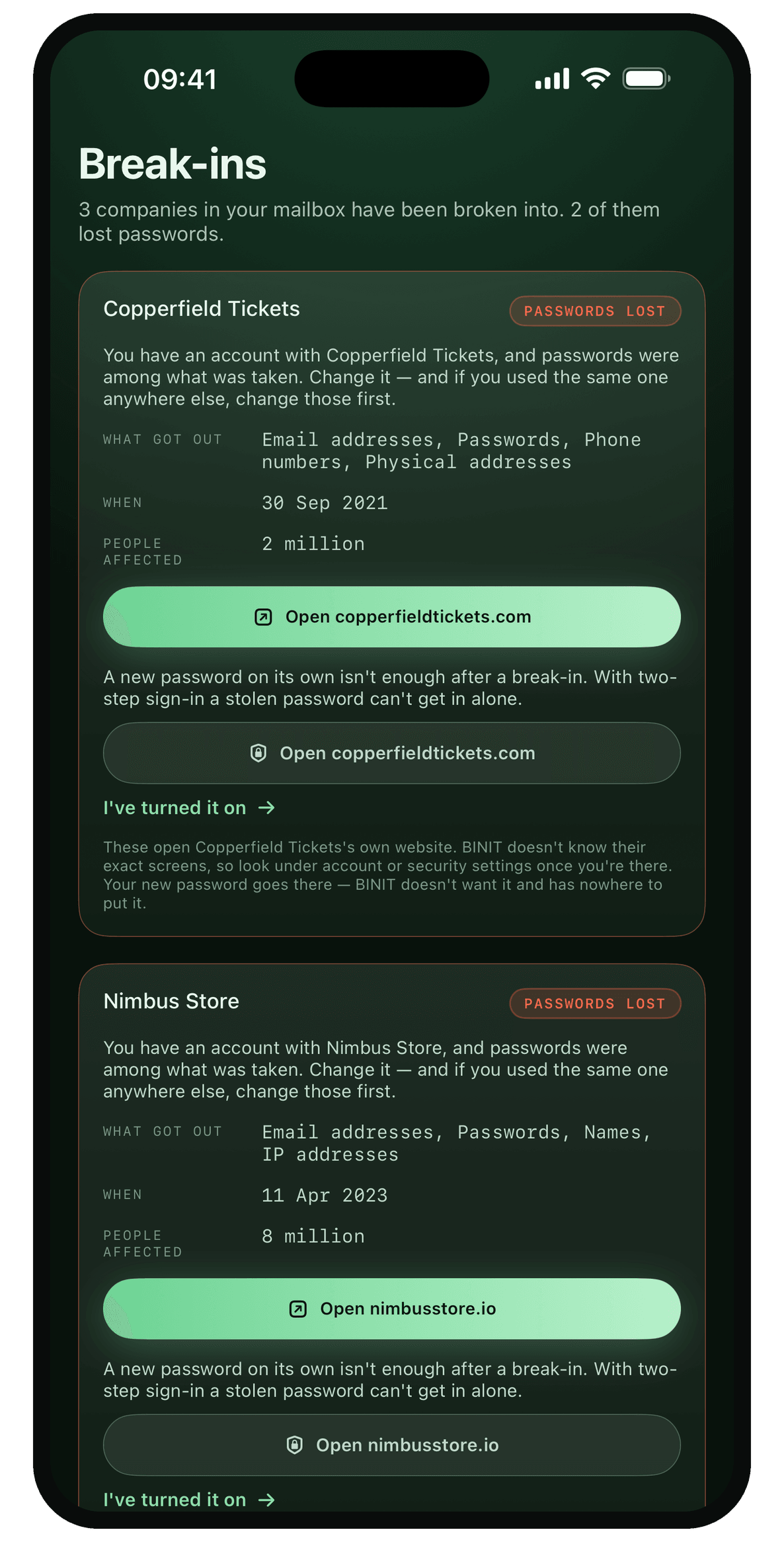
And which of them lost it
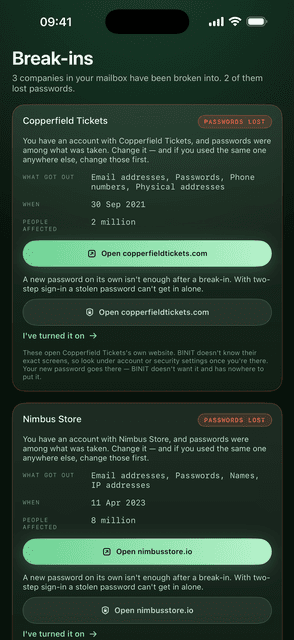
Three of those companies have been broken into and two lost passwords with everything else. Copperfield Tickets went in September 2021 — addresses, passwords, phone numbers and home addresses, two million people. Binit sends you to that company's own settings page. It never asks you to type a password into Binit.
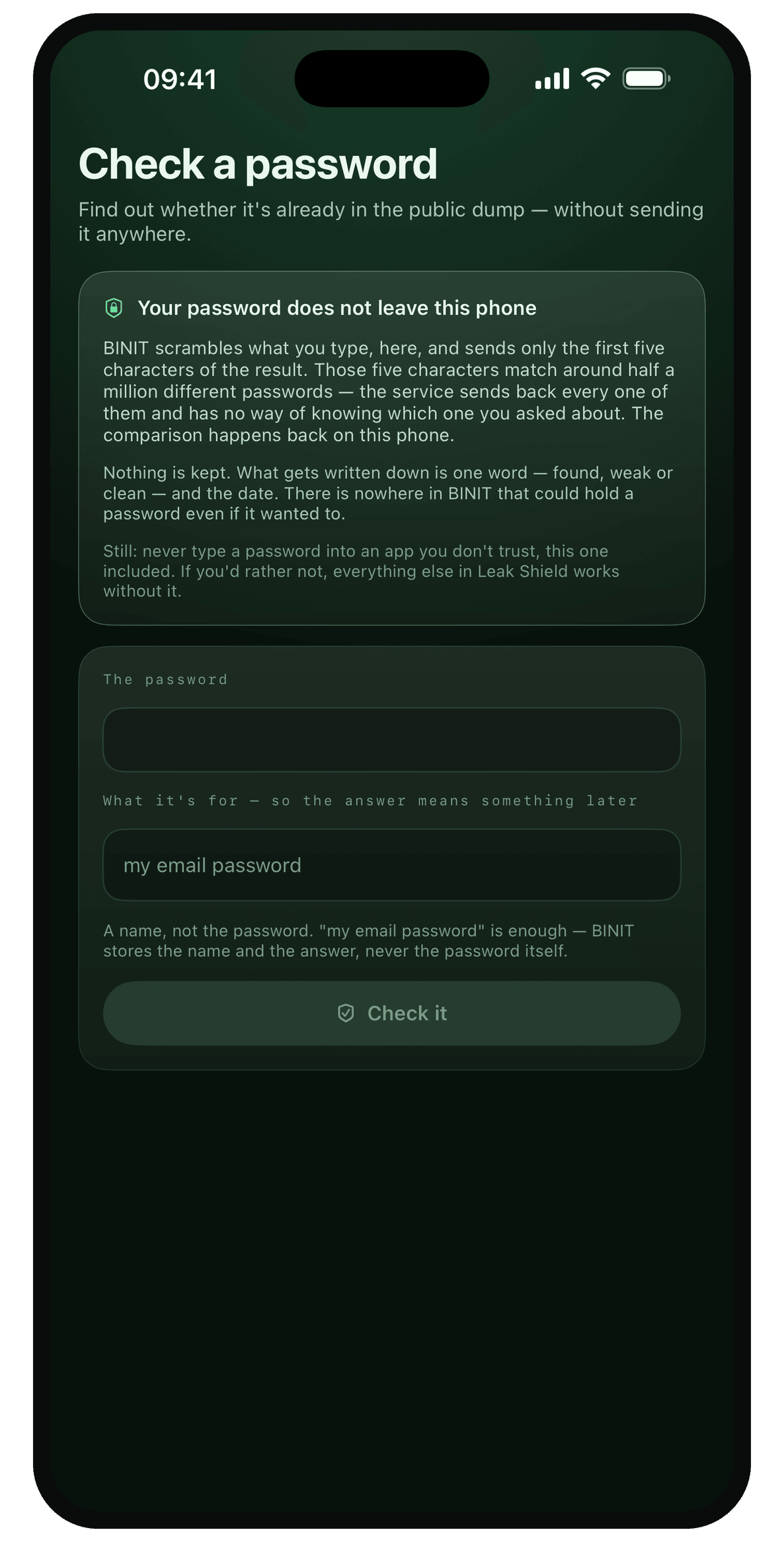
And whether the password you use is already out there
Type one in and it tells you whether it is sitting in the public pile of stolen passwords — without the password leaving the phone. It is scrambled here, and only the first five characters of the result go out. Those five match around half a million different passwords, so the service on the other end cannot tell which one was asked about, and the comparison happens back on the phone. Nothing is kept but one word: found, weak or clean.
The fine print
Short, honest, readable.
Binit keeps what you save on your device, and a few things have to leave it for the app to do its job. Every one of them is named below in plain English, at stable addresses you can rely on.