
Transferit
What it is
Pick the files, get a link, send it to people, watch it get downloaded, let it expire. The files go straight from your phone to storage in resumable pieces, so a dropped connection picks up where it left off and nothing bigger than a form ever passes through a server. Whoever gets the link needs no app and no account.
A document that needs signing is the same parcel with a different ending. Mark up where each person signs, send each of them their own link, and when the last one is in, a fresh copy is stamped and a certificate of completion is appended — who signed, when, from what device — while the original stays byte-for-byte untouched.
How it works
What using Transferit is actually like.
- Why it exists
- Sending a big folder is still awkward. Email bounces it, chat apps squash it, and the cloud drives want the person on the other end to have an account with the same company you do. Transferit turns whatever you picked into one link. Whoever gets it opens it and downloads — no app, no account, no sign-up — and the link stops working when you said it should.
- Who it’s for
- People who hand work to other people: photographers and studios sending galleries, editors and producers moving rushes, small firms sending a contract that has to come back signed. It is built for the phone first, because that is where the pictures already are, and the same account works on the web.
- What you get
- One link per send, with the controls that matter: how long it lives, a password, a download limit, and the option to hold it until a time you choose. A record of what happened to it — how many downloads, when it expires, and a way to pull it back. Signing is part of the same app: send a PDF, mark where each person signs, and get back the signed copy with a certificate that records who signed, when and from where — a record of events, not a legal opinion. Sending needs an account; receiving never does.
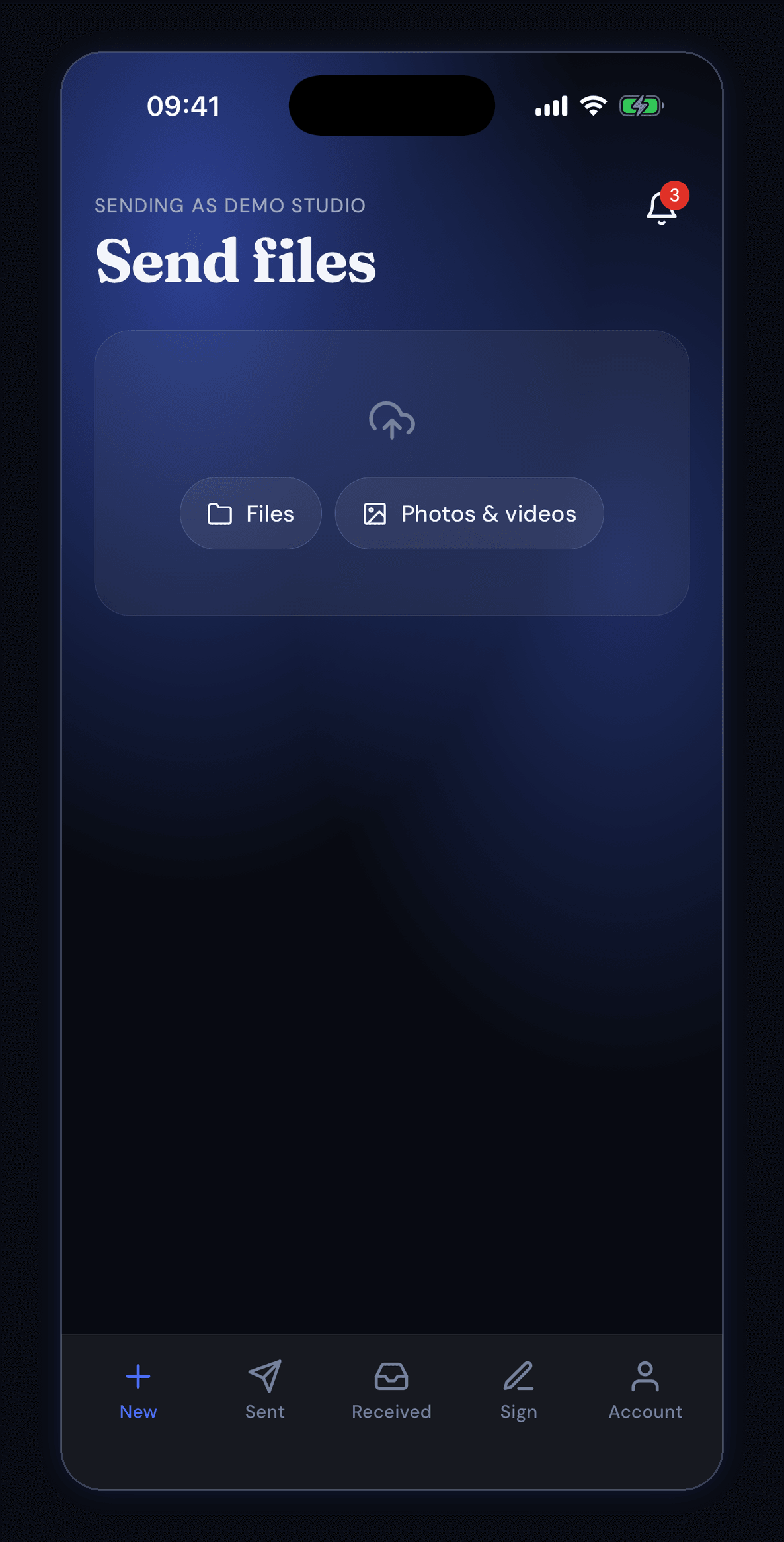
It opens on the thing it is for
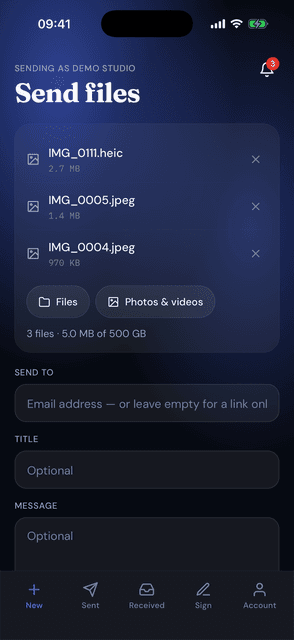
One screen and one question: what do you want to send? Files takes anything on the phone, Photos & videos goes straight to the camera roll. The line above the title says which account is sending — here, Demo Studio — which matters when somebody works for more than one.
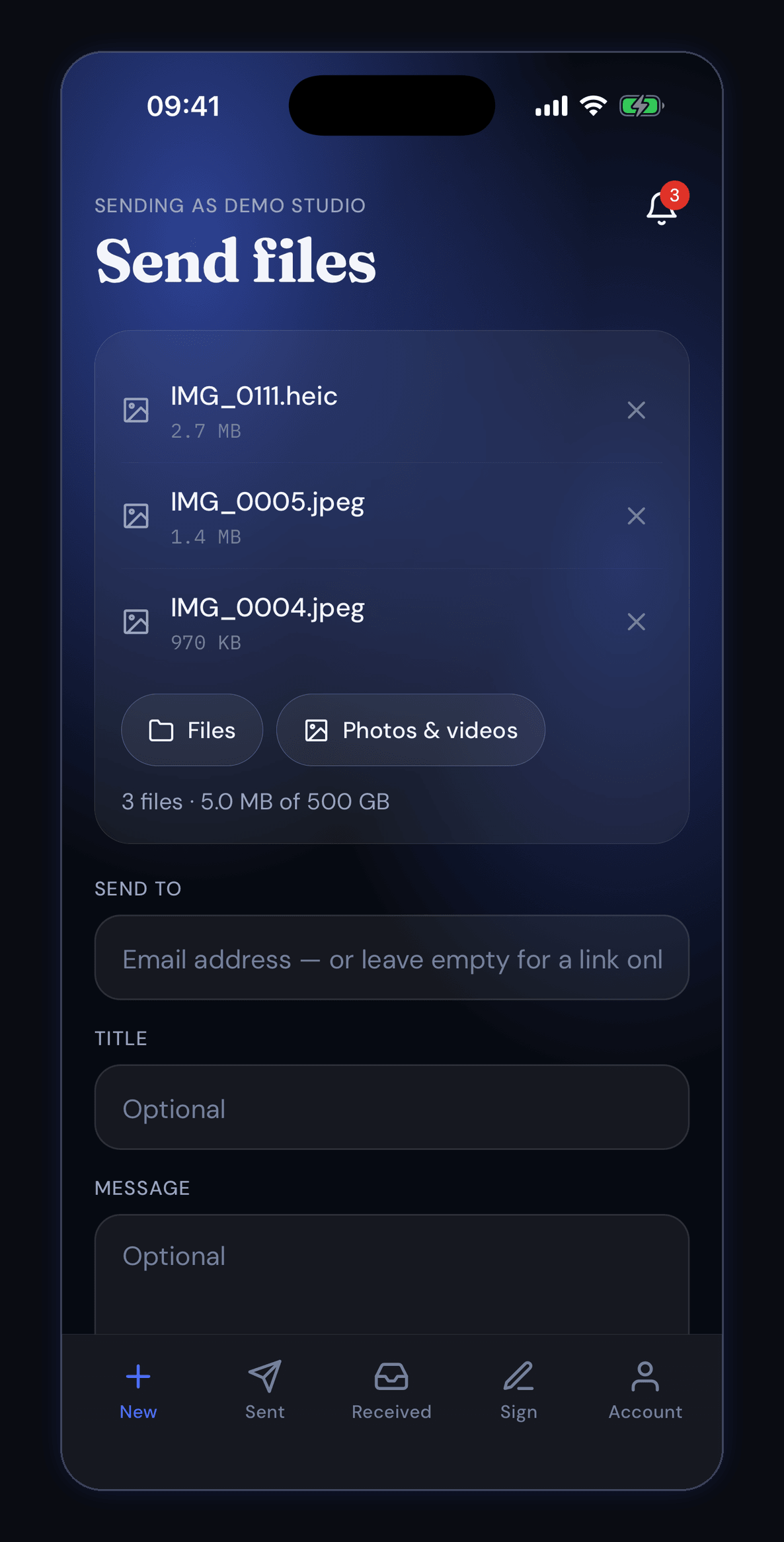
Three pictures, five megabytes, ready to go
IMG_0111.heic at 2.7 MB, IMG_0005.jpeg at 1.4 MB and IMG_0004.jpeg at 970 KB — 3 files, 5.0 MB of this account's 500 GB. Each one comes off again with the × beside it. The address box underneath is optional: leave it empty and you get a link to hand out yourself.
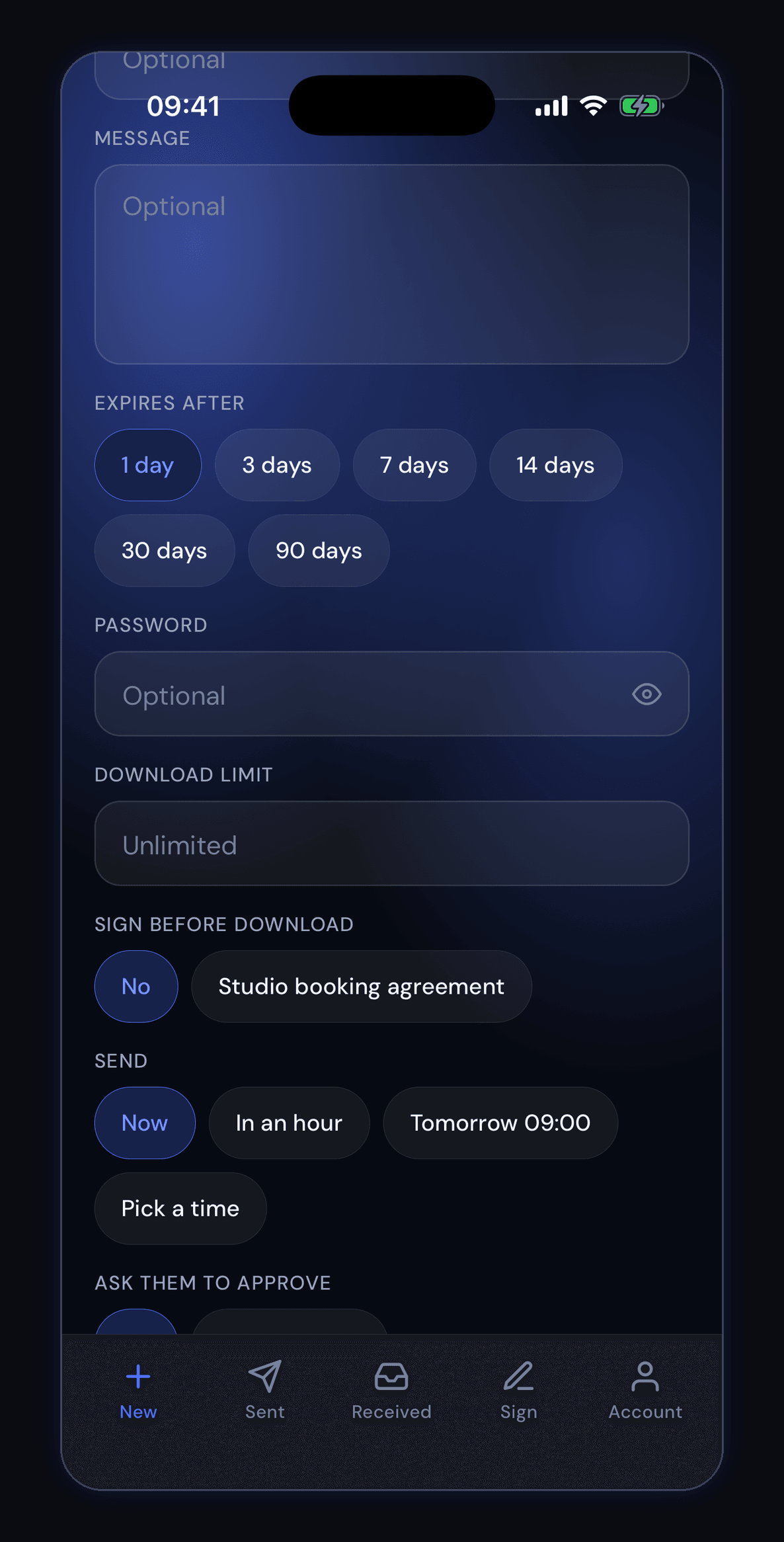
Everything you can decide before it goes
How long the link lives — 1, 3, 7, 14, 30 or 90 days — a password if it needs one, and a download limit that is unlimited unless you say otherwise. Two more underneath: a document people have to sign before they can download, and when it goes out at all — now, in an hour, tomorrow at 09:00, or a time you pick.
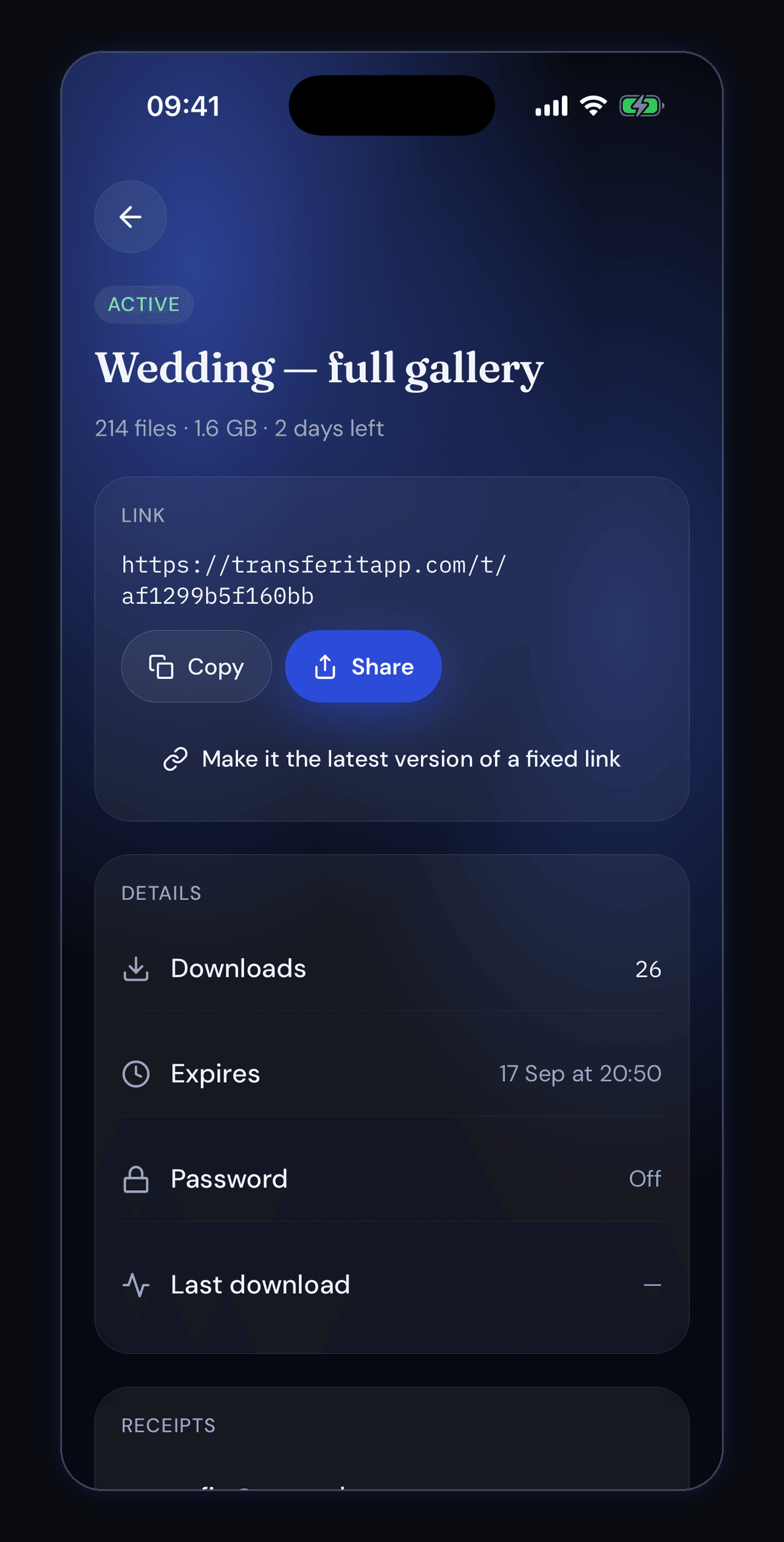
The link, and what has happened to it
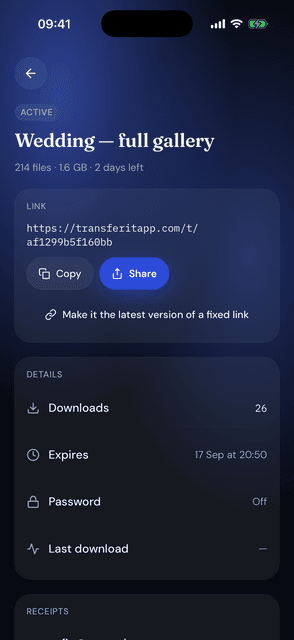
A transfer after it has gone: Wedding — full gallery, 214 files, 1.6 GB, 2 days left, with its address ready to copy or share. The record underneath is the useful part — 26 downloads, expires 17 September at 20:50, password off. The same screen is where you take the link back if you change your mind.
What the person on the other end sees
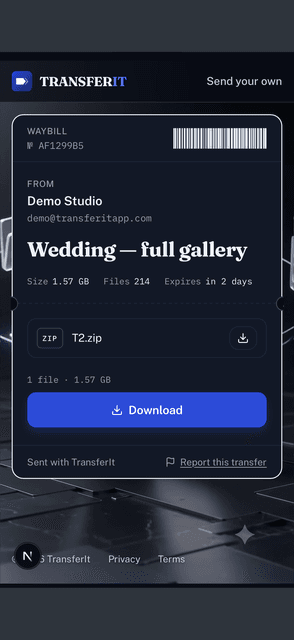
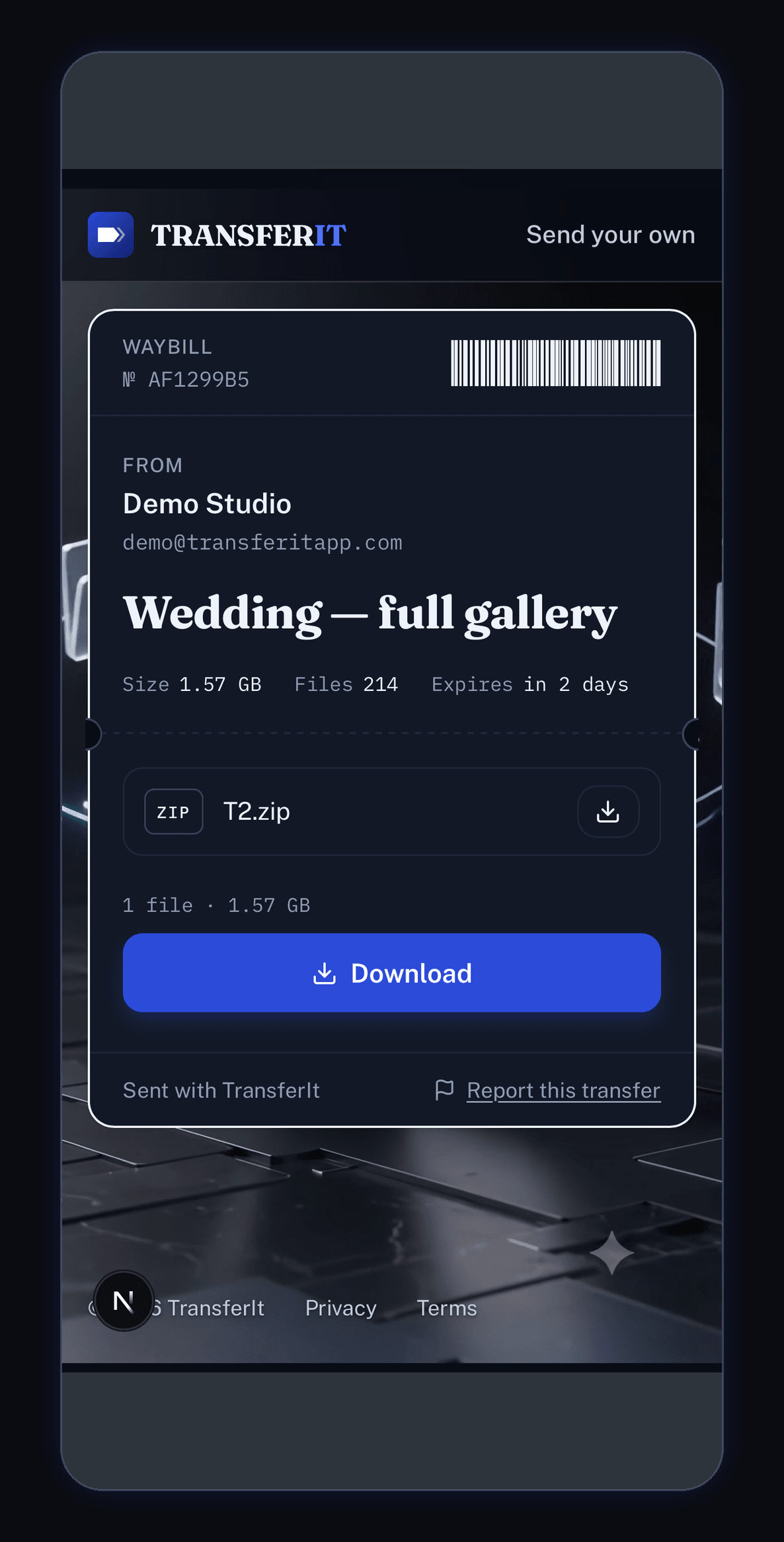
No app, no account, no sign-up. A page with the sender's name, the title Wedding — full gallery, and the plain facts: 1.57 GB, 214 files, expires in 2 days. One blue Download button hands over the zip. The quiet link at the bottom lets anyone report a transfer that should not exist.
Sending something that has to be signed
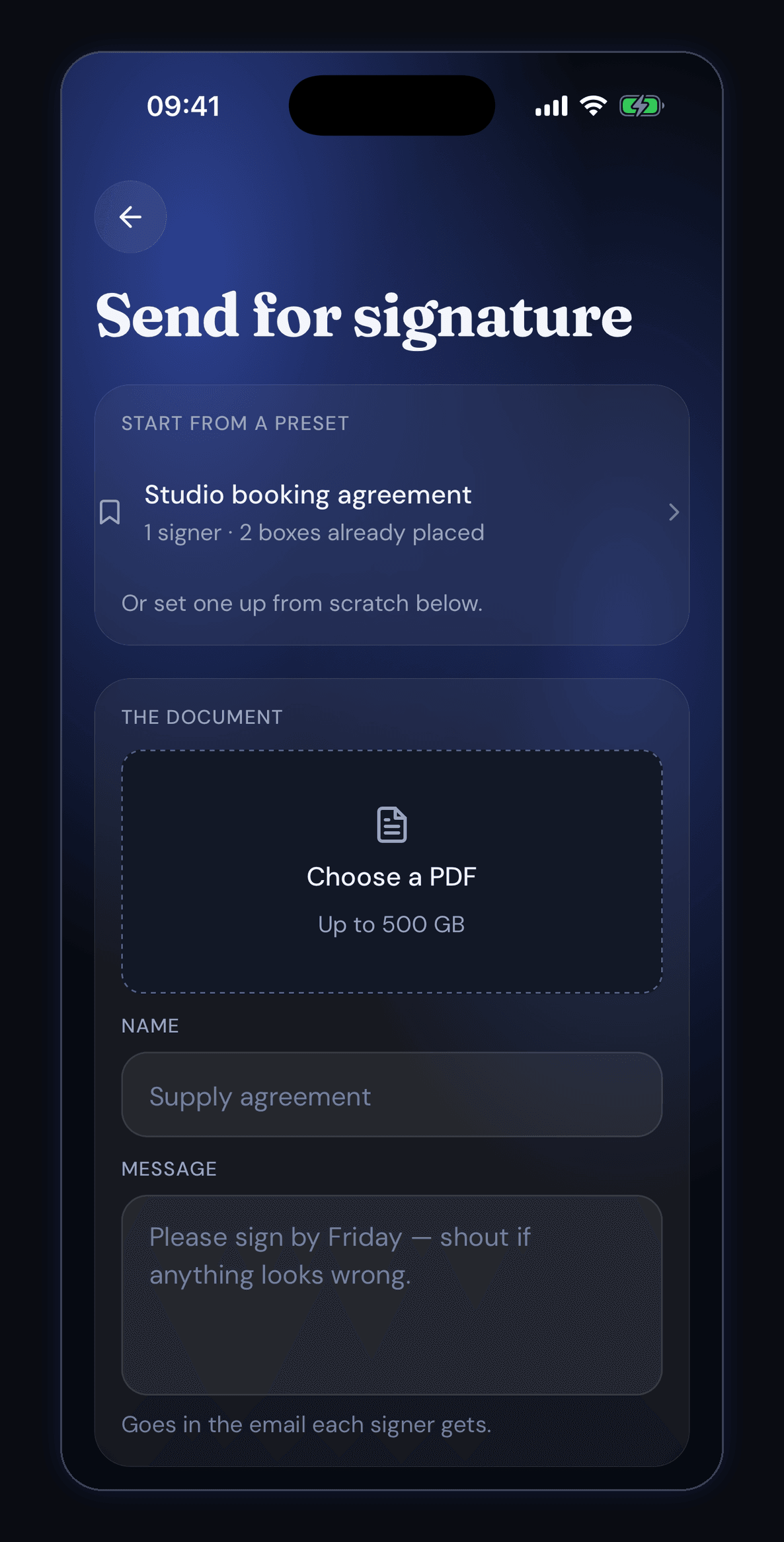
The same app sends a PDF for signature. It can start from a saved preset — here Studio booking agreement, 1 signer with 2 boxes already placed — or from a fresh document. The two boxes underneath take a name for the document and the message that goes in the email each signer gets.
Marking up exactly where they sign
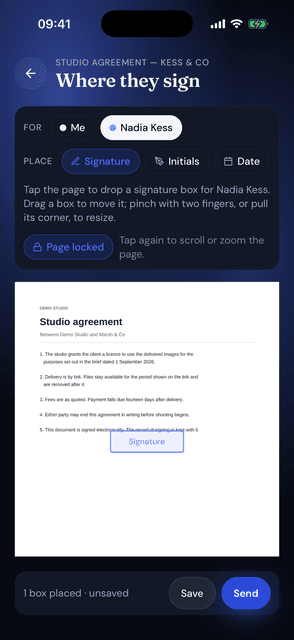
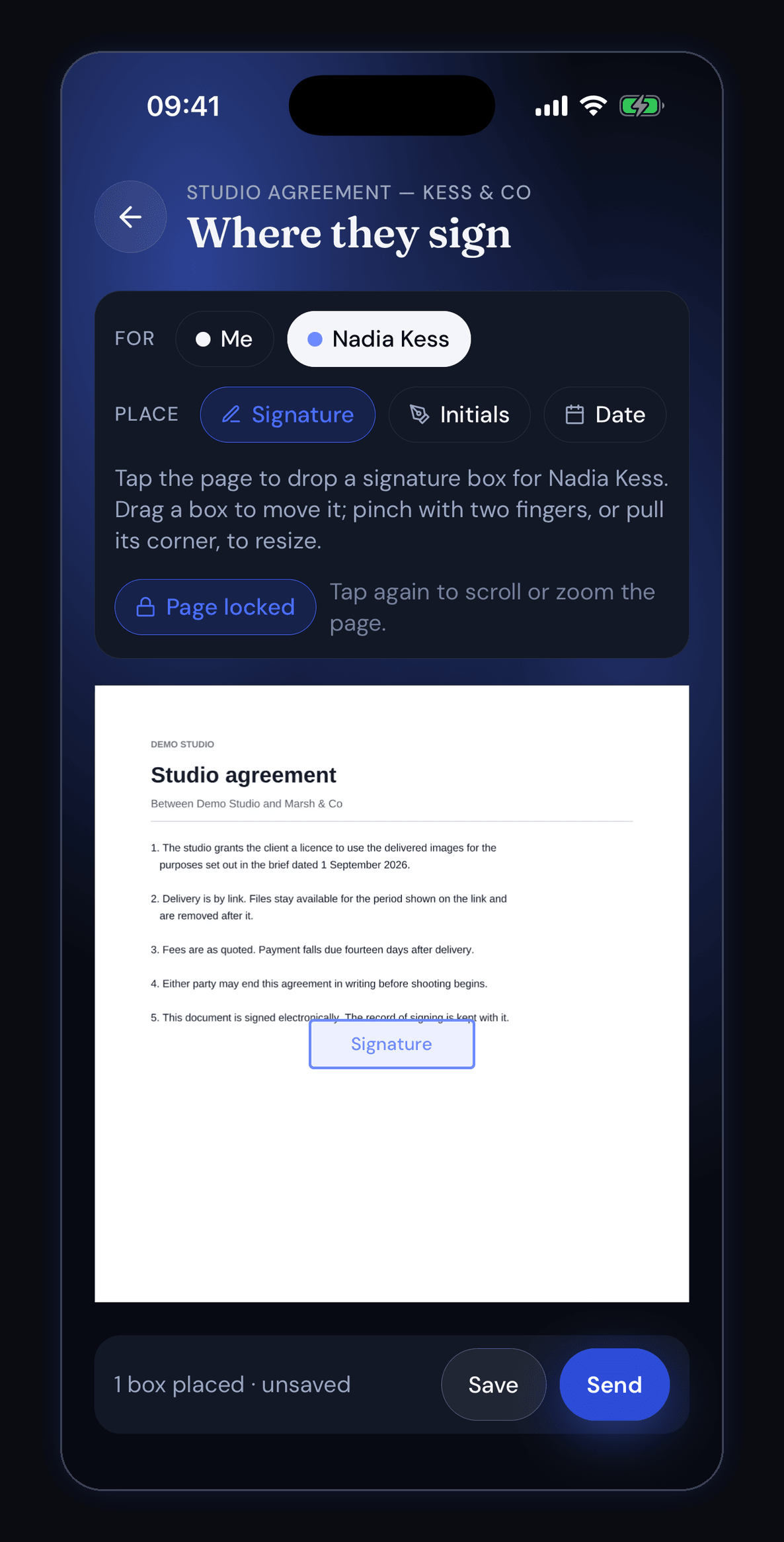
The document is shown as it really is, and you tap the page to drop a box on it. Each box belongs to one person — Nadia Kess here, chosen at the top — and can be a signature, initials or a date. The bar at the bottom counts what you have done: 1 box placed, unsaved, with Save and Send beside it.
Signed, with the record kept
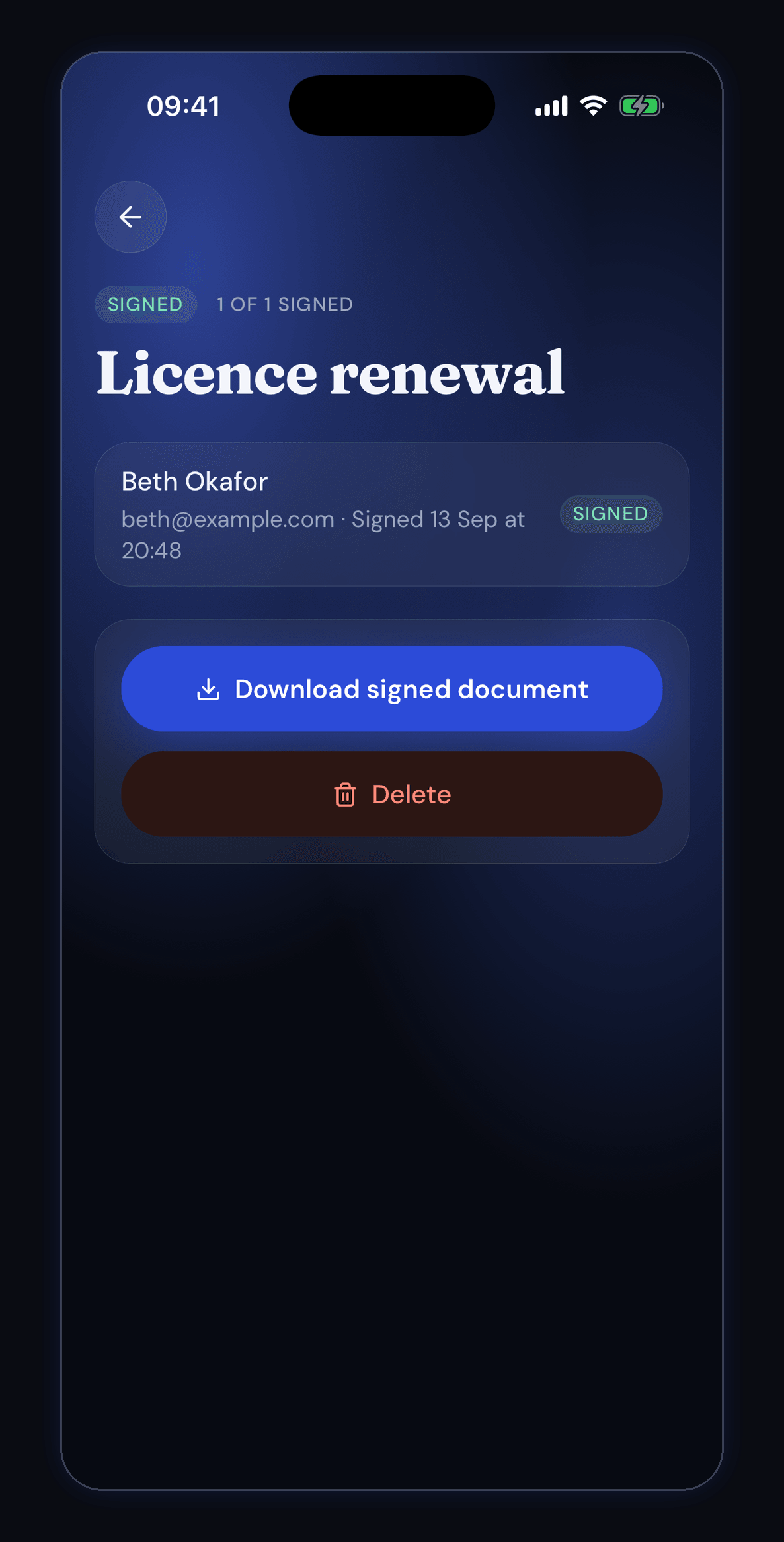
Licence renewal is marked signed, 1 of 1. Underneath is who did it and when: Beth Okafor, signed 15 September at 20:48. Download signed document gives back the PDF with the signatures on it and a certificate of completion attached — reference, document fingerprint, who was asked, when each person opened and signed, and the addresses they did it from.
What it costs
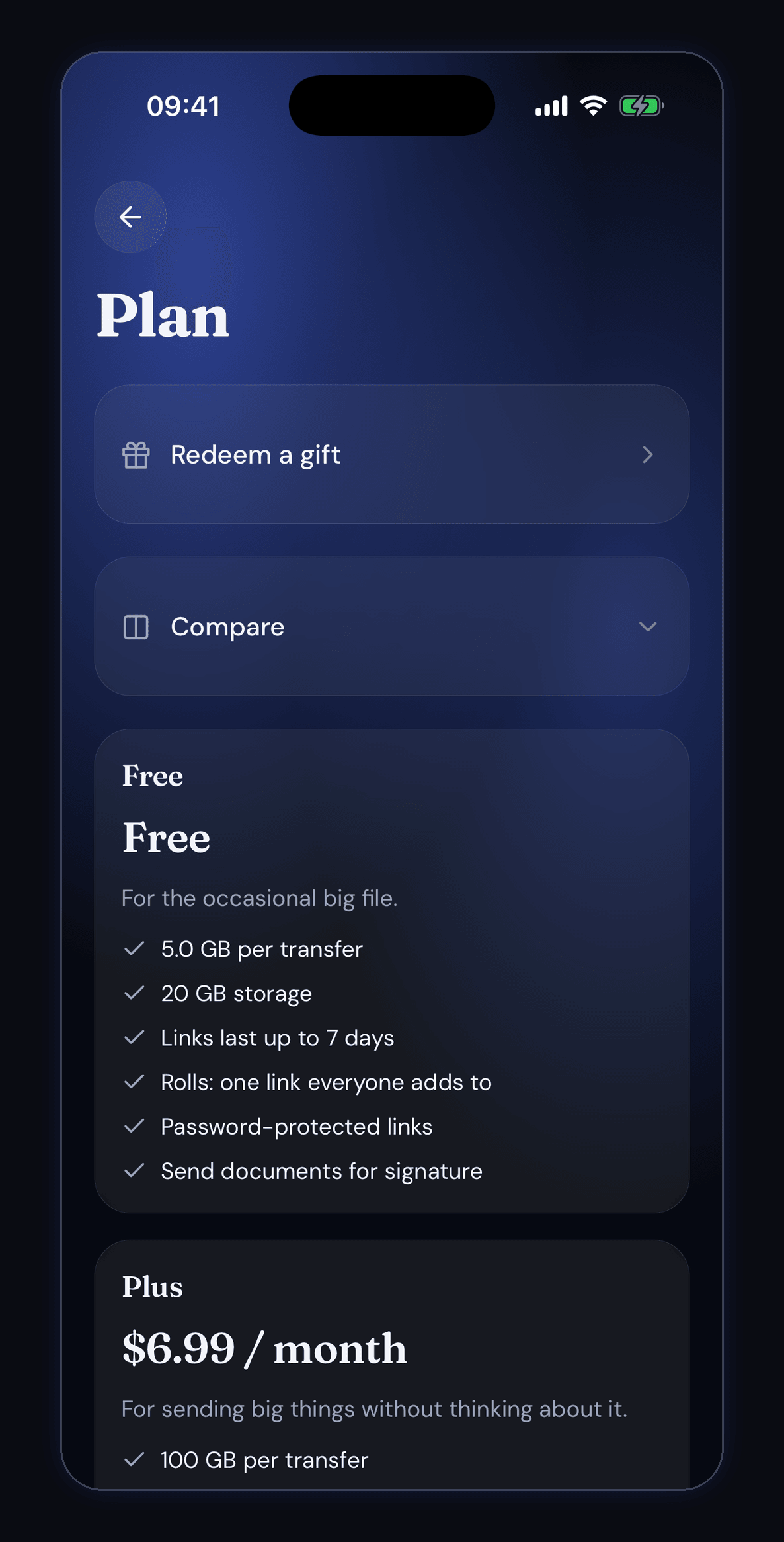
Plans are plain lists. Free gives 5.0 GB per transfer, 20 GB of storage, links lasting up to 7 days, rolls, password-protected links and document signing. Plus is a monthly subscription that lifts the per-transfer size to 100 GB. A gift code can be redeemed at the top of the same screen.
The fine print
Short, honest, readable.
Transferit works through a server, which means other people and other companies are involved — so it has more to explain than an app that never leaves your phone. Here it is in plain English, and the documents that actually govern the app are one tap away.